






Introduction
My friend Jake called me last week. He sounded stressed. His old laptop was slow. He asked me a simple question. “Should I stay on Windows 10 or move to Windows 11?” I laughed. I hear this question every month. People feel stuck between two worlds. One world feels safe and familiar. The other world looks shiny and new. But here is the truth. The choice is not hard if you know the facts. Therefore, I wrote this guide. It breaks down Windows 11 vs Windows 10 in plain English. You will learn about speed, security, and support. You will also see which system fits your daily life. Let us start with the biggest news first.
The Clock Is Ticking on Windows 10
Microsoft stopped supporting Windows 10 on October 14, 2025 . This date matters a lot. After this date, your Windows 10 PC stops getting security updates. It also stops getting bug fixes. This means your computer becomes a target for hackers. It also means new viruses can hurt your files. Some people can pay for extra security updates. This program is called ESU . But this is a short-term fix. It does not last forever. Therefore, Windows 11 vs Windows 10 is not just about features anymore. It is about safety. Staying on Windows 10 is risky for most people. Moving to Windows 11 is the smart move for the long run.
Check If Your PC Can Run Windows 11
Before you decide, you must check your hardware. Windows 11 has strict rules. Your PC needs a special security chip called TPM 2.0 . It also needs a newer processor. It needs at least 4 GB of RAM. It needs 64 GB of storage . Windows 10 needs much less. It runs on older machines with just 2 GB of RAM .
Therefore, many old PCs cannot upgrade. You can use the PC Health Check app from Microsoft. This tool tells you if your PC is ready . If your PC fails the test, you have two choices. You can buy a new PC. Or you can stay on Windows 10 with the risks. Do not force an upgrade on an old machine. It will run poorly.
Speed and Performance: Windows 11 vs Windows 10
People always ask about speed. Does Windows 11 feel faster? The answer is yes, but only a little. Recent tests show Windows 11 is slightly faster for gaming. In one test, Windows 11 beat Windows 10 by about 4% to 5% in games . That is a small gap. You might not feel it. For daily tasks like web browsing or email, both systems feel the same.
However, Windows 11 uses your hardware better. It handles new CPUs with better scheduling. Therefore, if you have a brand new PC, Windows 11 is the better choice. If you have an older PC, Windows 10 might feel snappier. But remember, speed is not everything. Security and support matter more in the Windows 11 vs Windows 10 debate.
Gaming: Is Windows 11 Better for Players?
Gamers want every frame per second. In the past, Windows 10 was faster for games. But this has changed. New updates made Windows 11 better for gaming . Tests with high-end cards show Windows 11 wins in most games. Some games like Arc Raiders run over 10% faster on Windows 11 . This is good news.
Windows 11 also has special features for games. It has Auto HDR. It has DirectStorage. These features make games look better and load faster. However, there is a catch. Windows 11 has more bugs than Windows 10 . Sometimes updates break things. Therefore, if you want a smooth and stable game session, Windows 10 still works. But if you want the best performance and new features, Windows 11 is the winner in this part of the Windows 11 vs Windows 10 fight.
The Look and Feel: A Fresh Coat of Paint
Windows 11 looks different. It has rounded corners. The Start menu sits in the middle of the screen . It feels more like a Mac or a phone. Some people love this. Others hate it. Windows 10 has a classic look. The Start menu is on the left. It uses Live Tiles. Windows 11 removed Live Tiles . This upset some users. However, Windows 11 adds new tools. It has Snap Layouts. This feature helps you organize windows on your screen. It is great for work. Windows 11 also has a better Settings app.
It is easier to find things. But deep down, both systems work the same way. You can move the taskbar to the left in Windows 11 if you want . Therefore, the look is a personal choice. You can get used to either one quickly.
Security: Why Windows 11 Wins
Security is the biggest difference. Windows 11 is built like a fortress. It requires TPM 2.0. This chip stores your passwords and encryption keys safely . It also requires Secure Boot. This stops bad software from loading when you turn on your PC . Windows 10 does not require these things. This makes Windows 10 easier to infect. Since Windows 10 no longer gets updates, it is even more vulnerable. Hackers love old systems. They know the holes will not be fixed. Therefore, for your safety, Windows 11 is the clear winner. You should not use an unsupported system for banking or shopping. The Windows 11 vs Windows 10 choice is easy when you think about your data.
Software and App Compatibility
Will your programs work on Windows 11? The answer is almost always yes. Windows 11 runs the same apps as Windows 10 . Your browser works. Your Office apps work. Your games work. There are very few exceptions. Some very old apps might not run. But most people do not use those. If you have a program from 2005, check it first. Otherwise, you are safe. Windows 11 also has a new Microsoft Store. It is easier to use. It has more apps. Therefore, do not worry about compatibility. This should not stop you from upgrading. The transition is smooth for 99% of users.
The Microprokey Advantage for Your Upgrade
When you upgrade, you need a valid license. This is where Microprokey helps. Microprokey offers genuine software keys at low prices. You can get keys for Windows and Office. This is useful if you build a new PC. It is also good if you need to activate Windows 11 after a fresh install. Many people look for cheap keys online.
But fake keys stop working after a month. Microprokey provides real keys with a warranty. Therefore, you get peace of mind. You also save money. A genuine license means you get updates. It means your system stays secure. In the Windows 11 vs Windows 10 debate, cost can be a barrier. Microprokey removes that barrier. You can afford the safer system without breaking your budget.
What About Older Hardware?
Do you have a PC from 2015? Windows 11 will not install on it. Microsoft blocked older CPUs on purpose. They say it is for security and stability . Some people try to bypass these checks. This is a bad idea. Unsupported installs can crash. They can stop getting updates. They can be slow. Therefore, if you have old hardware, stay on Windows 10. But remember the risk. Use the ESU program if you can . Save money for a new PC. Do not force Windows 11 on a machine that cannot handle it. You will have a bad experience. The Windows 11 vs Windows 10 choice depends on your hardware. Be honest about what you own.
Interface Changes That Matter for Work
If you use your PC for work, Windows 11 has tools for you. Snap Layouts are amazing. You hover over the maximize button. A menu pops up. You can pick a grid for your windows . This saves time. You do not need to drag windows around. Windows 10 has a basic version of this. But Windows 11 is better.
Windows 11 also has better virtual desktops. You can give each desktop a different name. You can use a different wallpaper . This helps separate work from play. However, Windows 11 changed the right-click menu. It is smaller now. You need to click “Show more options” to find old tools. This annoys power users. Therefore, Windows 11 is better for organizing. Windows 10 is better for fast access to old menus. You must pick your priority.
Making the Final Choice: Windows 11 vs Windows 10
So, what should you do? Here is my simple advice. If your PC can run Windows 11, upgrade now. The security benefits are too important to ignore. Windows 10 is dead. It will not get fixes. Using it is like driving a car without brakes. You might be fine for a while. But eventually, you will crash. If your PC cannot run Windows 11, start saving for a new one. Use Windows 10 carefully until then. Keep your antivirus on. Do not open strange emails. For most people, Windows 11 vs Windows 10 is not a real competition anymore. Windows 11 is the future. Windows 10 is the past. Move forward when you can.
FAQ’s
Q: Is Windows 11 faster than Windows 10?
A: Yes, but only a little. Tests show Windows 11 is about 4-5% faster for gaming . For daily tasks, the speed feels the same. The gap is small.
Q: Can I still upgrade to Windows 11 for free?
A: Yes, if your PC meets the requirements. The free upgrade offer is still active . You do not need to buy a new license if you have a valid Windows 10 key.
Q: What happens if I stay on Windows 10?
A: You stop getting security updates. Your PC becomes less safe over time. Microsoft ended support in October 2025 . You can pay for extra updates, but only for a short time.
Q: Does Windows 11 work with my old programs?
A: Almost always yes. Windows 11 runs the same software as Windows 10 . Only very old or specialized apps might have issues. Check the maker’s website if you are unsure.
Q: Why does Windows 11 need TPM 2.0?
A: TPM 2.0 is a security chip. It keeps your passwords and data safe. It also helps stop malware. Microsoft made it a requirement for better security .
Final Thoughts
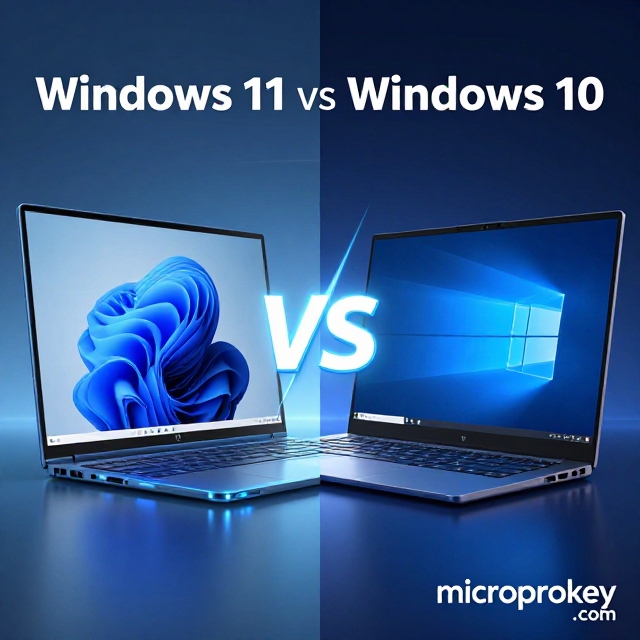
The Windows 11 vs Windows 10 question has a clear answer today. Windows 10 had a good run. It was stable and familiar. But its time is over. The lack of security updates is a real danger. You should not ignore it. Windows 11 is not perfect. It has bugs. It looks different. It needs newer hardware.
But it is safer. It is faster for games. It will get updates for years. Therefore, my advice is simple. Check your PC. If it is compatible, make the jump. If it is not, plan your next move. Do not wait too long. Your digital life is valuable. Protect it with a modern system. And when you need a license, check out Microprokey for a real key. Stay safe, stay updated, and enjoy your PC.