Introduction: Why This Choice Matters
It was a Tuesday morning. I sat down with my new laptop. I was so excited. I just wanted to start working. But then I saw the prompt. It asked me to choose my version of Windows. I had to decide between Windows Home and Pro. I felt a little lost. I did not know the difference. I just picked the cheaper one. I thought, “How different can they be?” I was wrong. I soon learned my mistake. I needed a feature that was only in Pro. It cost me time and money to upgrade. This is why you need to understand the Windows Home vs. Pro choice. It is a vital first step. You need to get it right from the start. This guide will help you. We will compare these two editions side-by-side. We will explain the features of each. We will look at the costs. We will also talk about security. Our goal is to help you make an informed choice. We will also show you where to get a genuine license. By the end, you will be a Windows Home vs. Pro expert. You will avoid my mistake. You can make the perfect choice for your computer.
The Core Difference: What is Missing from Home?
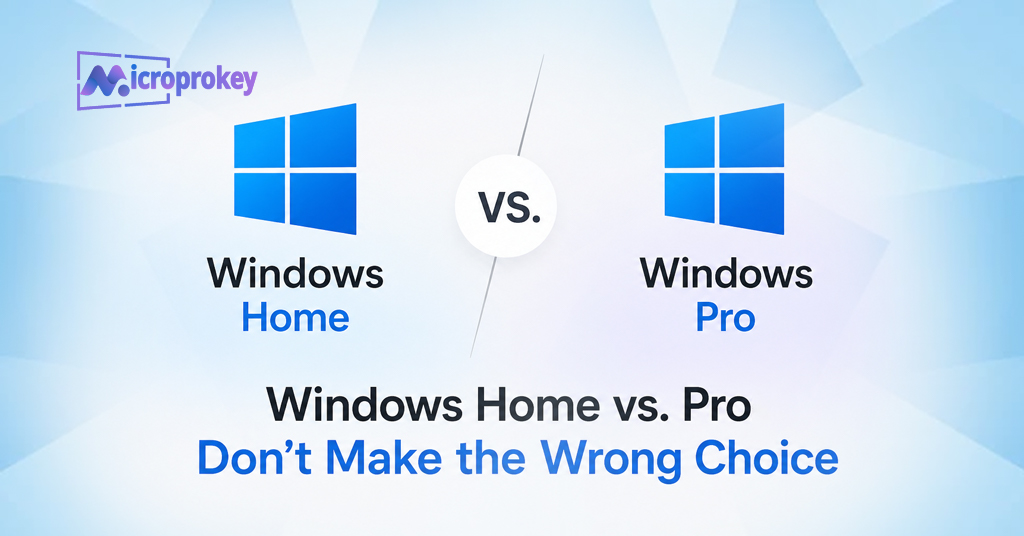
Let us talk about the main differences. The Windows Home vs. Pro debate is all about features. Home is for everyday users. It is perfect for browsing the internet. It handles email and gaming well. It supports your favorite apps. It also has basic security. This is enough for most people. Pro is for professionals. It is for businesses. It is for power users. It has all the Home features. Then it adds advanced tools. These tools are for security and management. This is what makes the Windows Home vs. Pro choice so important. Are you a business owner? Then you need Pro. Are you a student? Home is likely fine. Do you handle sensitive data? You need the security of Pro. Are you just a casual user? Home will save you money. The Windows Home vs. Pro comparison is about your needs. If you only use your PC for basic tasks, save your money. But if you need the extra features, choose Pro. It will pay off later.
Key Features Exclusive to Windows Pro
Now, let’s look at the specific extras. These are the tools you get with Pro. They are not in Home. This is the heart of the Windows Home vs. Pro battle.
BitLocker: The Ultimate Security Tool
Security is a major reason for choosing Pro. BitLocker is the star feature here. It is a drive encryption tool. It protects your entire hard drive. If your laptop gets lost, no one can read the data. It locks the drive completely. It is very powerful. It is far better than basic encryption. Home only has basic device encryption. It is not as strong. BitLocker uses a TPM chip. This adds more security. For businesses, this is essential. For anyone with private data, it is a must-have. This makes the Windows Home vs. Pro choice clear for security-conscious people.
Hyper-V: Run Virtual Machines
Pro also includes Hyper-V. This is a virtualization tool. It lets you run other operating systems. You can run Linux on your Windows PC. You can run older Windows versions. This is for developers and IT pros. It is great for testing software. It is a safe environment. You can test anything without risk. This is not for most home users. But for pros, it is a game-changer. This is a key point in the Windows Home vs. Pro comparison.
Group Policy Editor: Centralized Control
There is also the Group Policy Editor. This is a powerful admin tool. It allows you to control your PC settings. You can set rules for users. You can enforce password policies. You can control Windows Update. This is not available in Home. It is a core tool for IT managers. It helps manage many computers at once. This saves a lot of time.
Remote Desktop: Connect from Anywhere
Remote Desktop is another Pro feature. It lets you connect to your PC remotely. You can access your files from anywhere. You can control your work computer from home. This is very helpful. The Home version cannot act as a host. It can only connect to other PCs. Pro gives you full control. This is a critical advantage for remote work.
Windows Update for Business: Control Your Updates
Update control is another big difference. Pro gives you more control. You can defer updates. You can pause them. This is vital for businesses. An update might break a custom app. Pro lets you wait. You can test updates first. Home forces updates on you. You cannot stop them. This can be annoying. But for businesses, it is a serious issue. The Windows Home vs. Pro choice matters here.
Domain Join and Azure AD
Finally, there is Domain Join. Pro can join a corporate domain. This is for large business networks. It lets you use business resources. Home cannot do this. Pro also supports Azure Active Directory. This is for cloud-based services. This is not needed for home users. But it is essential for most companies.
Windows Home vs. Pro: The Price Factor
Price is a big factor in this decision. Windows Home is cheaper. A new license costs about $139. A Pro license costs about $199. That is a $60 difference. It might be worth it for the extra features. But if you do not need them, save your money. Also, think about upgrading later. Upgrading from Home to Pro costs $99. That is more expensive than buying Pro upfront. This is a key factor in the Windows Home vs. Pro debate. Plan ahead. Do not make my mistake. Buy the version you need now. It will save you money later.
Performance: Is Pro Faster?
Many people ask about performance. Does Pro run faster? The answer is no. There is no difference in performance. Both editions run the same. They use the same core system. They have the same speed. The difference is only the extra features. These features do not slow down your PC. So, do not choose Pro for speed. It will not make your PC faster. Choose it for the tools. Choose it for the security. But do not pick it for a speed boost.
Who Should Choose Windows Home?
Home is perfect for many people. It is the best choice for most users. You should choose Home if you are a student. It is great for casual web browsing. It works well for gaming. It is ideal for watching movies. It is good for using basic apps. You do not need advanced security tools. You do not need to manage a network. You just need a reliable operating system. Home is also cheaper. This saves you money. It has all the essential features. You get the same Start Menu. You get the same interface. You get the same apps. The Windows Home vs. Pro choice is easy for you. Go with Home. It is the smart pick for most people.
Who Should Choose Windows Pro?
Pro is for specific users. It is the best choice for professionals. You should choose Pro if you are a business owner. It offers better security. It offers better management. You should choose Pro if you work in IT. You need Group Policy. You need Hyper-V. You need Domain Join. Choose Pro if you handle sensitive data. You need BitLocker. It will protect your information. Choose Pro if you work remotely. You need Remote Desktop. It makes work easier. Choose Pro if you want control over updates. It helps keep your system stable. Do not get Home if you need these tools. The Windows Home vs. Pro choice is crucial for you. Pro is the right investment.
What About the Upgrade Path?
You can upgrade from Home to Pro. This is easy to do. You can buy a Pro upgrade in the Settings app. It costs $99. It takes just minutes to install. You do not need to reinstall your apps. Your files will remain safe. This is good to know. It is a nice fallback option. But it is more expensive. It is better to buy Pro upfront. This saves you money. It also saves you time. So, think carefully about your needs. Make the right choice from the start.
Why Source Your License from MicroProKey
Once you have made the Windows Home vs. Pro choice, you need a license. You can buy it from many places. One reliable source is MicroProKey. They are a trusted online retailer. They sell genuine Microsoft product keys. They offer keys for both Home and Pro. They provide instant digital delivery. You get your key right away. There is no waiting. They also have very competitive prices. You can often find great deals. They also have a strong reputation. Many users recommend them. They are known for authenticity. They are known for fast support. This is important. You want a genuine license. A fake license can cause problems. MicroProKey makes the process safe. It makes it easy too.
How MicroProKey Works
MicroProKey is a simple platform. You browse their website. You pick the product you need. You pay for your key. They send it to your email instantly. You use the key to activate Windows. The whole process is very easy. There is no risk. Your transaction is secure. They use SSL encryption to protect your data. They also have a help team. If you have any issues, they are there to assist. This is part of their service. They want you to have a smooth experience. This is what makes them a top choice for many users.
Conclusion
The Windows Home vs. Pro choice is a big one. It is a decision you need to get right. Do not just pick the cheapest one. Think about your future needs. Assess what you will use your PC for. Home is the best choice for most home users. It has all the standard features. It is cheaper. It is simple to use. It handles daily tasks with ease. Pro is essential for professionals. It has advanced security. It has management tools. It has remote access. It gives you control. Think about your work. Think about your data. Then make your decision. If you choose Pro, consider a reliable source. MicroProKey offers genuine licenses. They are fast and secure. They make buying a license easy. Do not make my mistake. I chose Home and had to upgrade. It cost me time and money. You can avoid this. Make an informed choice. Choose the version that fits your life. Choose the version that fits your work. You will be happy you did.
FAQ’s
1. What is the main difference in Windows Home vs. Pro?
The main difference is the features. Pro has advanced security tools like BitLocker. It also has management tools like Group Policy Editor and Hyper-V. Home has the core system but lacks these business tools.
2. Is Windows Pro faster than Home?
No, there is no performance difference. Both versions run at the same speed. The extra features in Pro do not impact performance. The Windows Home vs. Pro choice is not about speed.
3. Can I upgrade from Windows Home to Pro later?
Yes, you can. You can buy an upgrade through the Settings app. It costs $99. The upgrade is quick and easy. You do not lose your files. However, it is cheaper to buy Pro upfront.
4. Do I need Windows Pro for gaming?
No, you do not. Windows Home is perfect for gaming. It supports all the same games. It supports all the same hardware. Pro does not offer any gaming advantage. The Windows Home vs. Pro choice for gamers is clear: Home is the better value.
5. Is it safe to buy a Windows key from MicroProKey?
Yes, it is safe. MicroProKey is a trusted and reputable platform. They sell genuine Microsoft product keys. They provide instant delivery and secure payment processing. They also have a good track record with customers.