Understanding Microsoft Windows licensing can feel overwhelming. However, mastering this knowledge is crucial for IT professionals and business owners. This comprehensive guide breaks down everything you need to know about Windows licensing in 2024.
What Is Microsoft Windows Licensing?
Microsoft Windows licensing refers to the legal framework governing the use of software. Essentially, it determines how you can install and use Windows operating systems. Moreover, proper licensing ensures compliance and avoids costly penalties.
Different licensing models exist for various business needs. Therefore, choosing the right license type saves money and headaches. Let’s explore the main licensing options available today.
Types of Windows Licenses Every Professional Should Know
- Retail Licenses
Retail licenses offer maximum flexibility for individual users. You can purchase these from authorized retailers or directly from Microprokey. Additionally, retail licenses are transferable between computers.
Key benefits include:
- Full ownership rights
- Transferable to new hardware
- Lifetime validity
- Direct Microsoft support
However, retail licenses typically cost more upfront. Nevertheless, they provide excellent value for long-term use.
- OEM (Original Equipment Manufacturer) Licenses
OEM licenses come pre-installed on new computers. Manufacturers like Dell, HP, and Lenovo commonly use these. Importantly, OEM licenses are tied to specific hardware.
Critical characteristics include:
- Lower cost than retail
- Non-transferable between devices
- Hardware-locked activation
- Limited support options
- Consequently, OEM licenses work best for businesses buying new equipment.
- Furthermore, they cannot be moved to replacement computers.
- Volume Licensing Programs
Volume licensing serves organizations with multiple computers. Microsoft offers several volume licensing options. Specifically, these programs provide cost savings and centralized management.
Popular volume licensing programs include:
- Open License: Ideal for small to medium businesses
- Select Plus: Flexible for growing organizations
- Enterprise Agreement: Best for large corporations
- MPSA (Microsoft Products and Services Agreement): Simplified purchasing
Additionally, volume licensing includes Software Assurance benefits. Therefore, organizations receive updates and support automatically.
- Subscription-Based Licenses
Microsoft 365 subscriptions include Windows licensing rights. This modern approach offers continuous updates and cloud services. Moreover, subscription models provide predictable monthly costs.
Benefits include:
- Always current software versions
- Cloud storage and services
- Flexible scaling options
- Comprehensive security features
Consequently, many businesses prefer subscription licensing today. Furthermore, this model simplifies budget planning significantly.
Understanding Microsoft Windows 11 Pro License
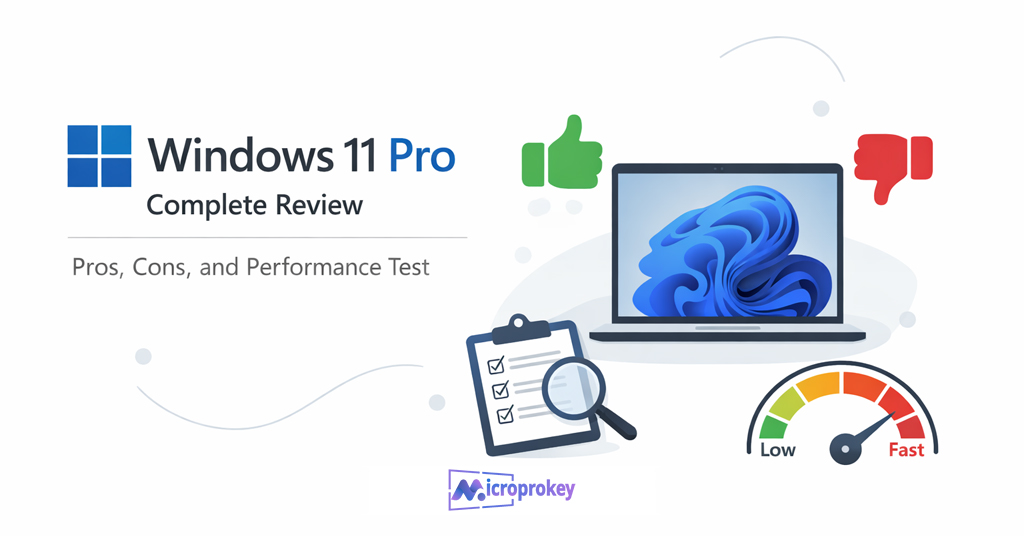
Windows 11 Pro represents Microsoft’s professional-grade operating system. This edition includes advanced features for business users. Specifically, it offers enhanced security and management capabilities.
Key Windows 11 Pro features include:
- BitLocker encryption for data protection
- Remote Desktop functionality
- Hyper-V virtualization support
- Group Policy management
- Windows Update for Business
Therefore, professionals should consider Windows 11 Pro licensing carefully. Additionally, understanding activation methods ensures smooth deployment.
License Activation Methods Explained
Digital Licenses (Digital Entitlement)
Digital licenses link to your Microsoft account automatically. No product key is required after initial activation. Subsequently, Windows activates automatically on the same hardware.
This method offers:
- Seamless reactivation after hardware changes
- Cloud-based license management
- Simplified reinstallation process
- Automatic validation
- Product Key Activation
Traditional product keys remain widely used today. You enter a 25-character code during installation. Then, Windows validates the key with Microsoft servers.
Product keys work for:
- Retail purchases
- Volume licensing deployments
- OEM installations
- Upgrade scenarios
- KMS (Key Management Service) Activation
Large organizations use KMS for centralized activation. This system activates computers within the corporate network. Moreover, KMS reduces administrative overhead significantly.
KMS activation requires:
- Minimum computer threshold (25 for Windows)
- Internal KMS host server
- Regular network connectivity
- Volume licensing agreement
MAK (Multiple Activation Key) Activation
MAK keys activate a specific number of computers. Each activation counts against the total available. Therefore, organizations must track usage carefully.
MAK works best for:
- Remote or disconnected computers
- Small deployment scenarios
- Temporary installations
- testing environments
Compliance and Legal Considerations
Proper licensing compliance protects your organization legally. Microsoft conducts audits to verify license usage. Consequently, maintaining accurate records is essential.
Best practices include:
- Document all license purchases
- Track software installations carefully
- Conduct regular internal audits
- Maintain Software Asset Management (SAM)
- Train staff on licensing policies
Furthermore, non-compliance results in significant penalties. Therefore, investing in compliance tools pays dividends.
Cost Optimization Strategies
Smart licensing decisions reduce overall IT costs. Consider these strategies for maximum savings:
- Right-Sizing Your Licenses
Evaluate actual usage patterns before purchasing. Not every user needs Windows Pro features. Consequently, mixing license types saves money. - Leveraging Volume Discounts
Bulk purchases through volume licensing reduce per-unit costs. Additionally, Software Assurance provides long-term value. Therefore, calculate the total cost of ownership carefully. - Considering Subscription Models
Monthly subscriptions eliminate large upfront investments. Moreover, they include automatic updates and support. Thus, subscriptions often provide better ROI. - Utilizing Upgrade Rights
Existing licenses may include upgrade rights. Check your current agreements for hidden benefits. Subsequently, you might save on new purchases.
Windows Licensing for Different Business Sizes
Small Businesses (1-50 Employees)
Small businesses benefit from simple licensing options. Retail or OEM licenses often suffice initially. However, growth requires planning.
Recommended approach:
- Start with OEM licenses for new computers
- Consider the Open License for flexibility
- Plan for future expansion
- Evaluate Microsoft 365 subscriptions
Medium Businesses
Medium organizations need centralized management capabilities. Volume licensing becomes cost-effective at this scale. Additionally, Software Assurance provides valuable benefits.
Best practices include:
- Implement volume licensing programs
- Deploy centralized activation methods
- Establish license management processes
- Consider Enterprise Agreement options
Large Enterprises
Large organizations require comprehensive licensing strategies. Enterprise Agreements offer maximum flexibility and savings. Moreover, they include extensive support and services.
Strategic considerations:
- Negotiate Enterprise Agreements carefully
- Implement automated license management
- Conduct regular compliance audits
- Leverage Software Assurance fully
Common Licensing Mistakes to Avoid
Future of Windows Licensing
Microsoft continues evolving its licensing models. Cloud-based subscriptions are becoming increasingly prevalent. Moreover, the company emphasizes simplified management tools.
Emerging trends include:
- Increased subscription adoption
- Cloud-first licensing approaches
- Simplified compliance tools
- Enhanced automation capabilities
- Flexible consumption models
- consequently
Professionals must stay informed about changes. Furthermore, adapting to new models ensures competitive advantages.
Frequently Asked Questions
Can I transfer my Windows license to another computer?
Retail licenses are transferable between computers. However, OEM licenses remain tied to original hardware. Therefore, check your license type before attempting transfers.
How many computers can one license activate?
Typically, one license activates one computer only. Volume licensing agreements may have different terms. Consequently, review your specific agreement carefully.
What happens if I don’t activate Windows?
Inactivated Windows has limited functionality and displays watermarks. Additionally, you cannot personalize settings fully. Therefore, proper activation is essential.
Do I need separate licenses for virtual machines?
Virtual machine licensing depends on your license type. Some licenses include virtualization rights automatically. However, others require additional licensing.
How long does a Windows license last?
Perpetual licenses last indefinitely for the purchased version. Subscription licenses require ongoing payments for continued use. Therefore, choose based on your needs.
Getting Started with Proper Licensing
Implementing proper Windows licensing requires careful planning. Start by auditing your current environment thoroughly. Then, identify gaps and compliance risks.
Action steps include:
- Inventory all Windows installations
- Document existing license purchases
- Identify compliance gaps
- Research appropriate licensing options
- Develop an implementation plan
- Train relevant staff members
- Establish ongoing management processes
Moreover, consider consulting with licensing specialists. Their expertise prevents costly mistakes and optimizes spending.
Mastering Windows Licensing
Understanding Microsoft Windows licensing empowers better business decisions. Proper licensing ensures compliance while optimizing costs. Furthermore, it provides access to essential features and support.
Key takeaways include:
- Choose license types matching your needs
- Implement proper activation methods
- Maintain comprehensive documentation
- Conduct regular compliance reviews
- Stay informed about licensing changes
Therefore, invest time in understanding licensing thoroughly. Additionally, establish robust management processes early. Consequently, your organization avoids problems and maximizes value.
For more detailed information about Windows 11 Pro licensing options, visit MicroProKey’s Windows 11 Pro License page. They offer comprehensive solutions for professional licensing needs.
Ready to optimize your Windows licensing strategy? Start by evaluating your current situation today. Then, implement the best practices outlined above. Ultimately, proper licensing management delivers significant long-term benefits.