Introduction: A Developer’s Nightmare
It started on a rainy Monday. Kevin, a junior software developer, downloaded a popular SDK to build his Android app. He found it on a forum that promised faster builds and zero lag. It looked real. It had everything the official tool had. But within a week, Kevin’s GitHub was hacked. His code leaked online. Valuable company data disappeared. All because he trusted a fake dev tool.
This is not just Kevin’s story. It’s becoming a growing crisis. It’s called Dev Tools Piracy.
Dev Tools Piracy is sneaky and hard to track. Most developers focus on writing code, not verifying the tools. But if they use unauthorized SDKs or cracked IDEs, it can ruin their projects. Worse, it can harm their jobs, clients, and companies.
These fake tools often come with hidden malware. Some steal passwords. Others crash your software. Some even backdoor your system to hackers far away. And everything looks normal until it’s too late.
You don’t have to be a victim. You can avoid this trap. This blog will show you how. It’s your complete guide to understanding and avoiding Dev Tools Piracy. We’ll teach you how to be smart, safe, and secure.
Let’s begin.
What is Dev Tools Piracy?
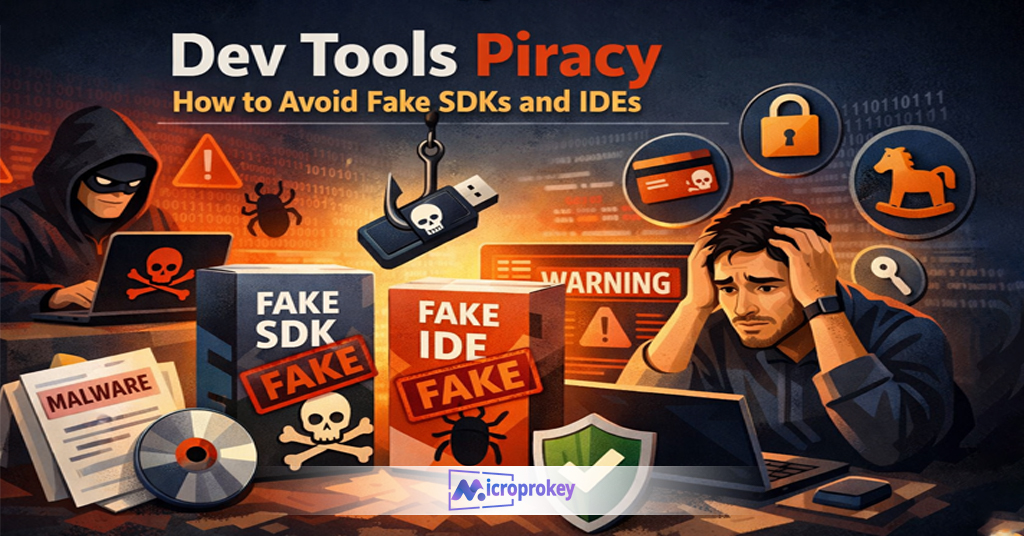
Dev Tools Piracy means using fake, cloned, cracked, or unauthorized SDKs and IDEs. In simple words, it means using tools that are not officially released or legally shared. Hackers or shady websites often spread these tools to trick developers.
Most fake tools look real. They might have the same UI as the original. Some even include the correct files and icons. But inside, they can hide code that steals data or installs malware.
Cracked IDEs might seem helpful because they remove license checks. Some think they save money this way. But in truth, they risk everything—projects, clients, and reputations.
Pirated SDKs are also common. These are downloaded from file-sharing sites or forums. They may promise better features or faster speeds. But they often carry spyware or tracking software.
Dev Tools Piracy is not just unethical. It is dangerous. It exposes your systems and code to big risks. You can’t be sure what’s in a fake file. And once it’s installed, attackers can see or change your work.
Staying safe means only using tools from trusted vendors. Know what you install. Don’t fall for free versions that seem “too good to be true.”
Remember, real tools come with real support. Fake tools come with hidden threats.
Why Hackers Target SDKs and IDEs
Hackers don’t break into systems through firewalls anymore. Now, they ride in hidden inside development tools. Dev Tools Piracy gives them an easy way in.
Developers trust their tools. When you install a plugin or SDK, you usually give it full access. It can read, write, and run code. That’s what makes SDKs and IDEs such attractive targets for hackers.
They know if they can hide malware in these tools, it spreads fast. It reaches entire teams. It runs behind the scenes while you focus on building apps or testing code.
Free tools from unknown sources often hide viruses. These slip past antivirus software easily. Some fake IDEs even fake update alerts to grab more system rights.
Once installed, the hacker can steal your code. They can log your keystrokes. Or worse, they can access cloud APIs with your keys. In seconds, your app is no longer yours.
Open-source platforms aren’t always safe either. Some pirated SDKs are copies of real open-source SDKs but tweaked with harmful scripts.
Hackers are smart. But you can be smarter. Knowing their tricks helps you stay one step ahead. Knowing how Dev Tools Piracy works is the first step.
Let’s now look at what happens if you fall for this trap.
The Real Cost of Using Fake Dev Tools
The price of Dev Tools Piracy is higher than most think. It’s not just about bad code. It’s about lost data, lost cash, and lost trust.
When a developer uses a pirated SDK, it can spread malware across a team. One tool can infect many machines. It only takes one wrong download.
Codebases can get corrupted. Bugs pop up in every release. Security holes open up. Clients complain. Projects miss deadlines.
Teams then spend days trying to fix the damage. But sometimes, the damage can’t be undone. Source code may be lost. Rebuilding from scratch may be the only way.
Financially, it’s a disaster too. Contracts can get canceled. Clients lose trust. Lawsuits may follow if user data leaks due to pirated tools.
Reputation takes a huge blow. Once labeled as insecure or careless, it’s hard for developers or companies to regain standing.
Companies may also face legal action. Using unauthorized software is illegal. Fines and bans can follow. Employers may fire developers if they used fake SDKs carelessly.
In short, the cost is too high. Use legit tools. It saves time, money, and peace of mind.
How to Spot a Fake SDK
Avoiding Dev Tools Piracy begins by spotting the signs of a fake SDK. Knowing what to look for helps a lot.
Start with the source. Where did the SDK come from? Official sources like GitHub repos, vendor websites, or certified stores are best.
If the source is a random forum or cloud folder, beware. That’s a big red flag.
Next, check the digital signature. Real SDKs have signed releases. They’re verified with certificates. If you see “Unknown Publisher,” stop right there.
Pay attention to file size too. If it’s much larger or smaller than expected, something is off. It may contain extra malicious files or be missing core parts.
Documentation is another sign. Legit SDKs have complete, clear docs. Fake versions often have broken links or outdated guides.
Forums and developer reviews help. Search the SDK’s name along with “fake” or “malware.” If others had issues, you’ll know fast.
Open-source repos should show regular updates, PR reviews, and stars. Dead or cloned repos? Avoid them.
Most of all, trust your instincts. If something feels shady, it probably is.
Stay cautious. Spotting a fake SDK can save your entire app from risk.
Now, let’s explore how to detect fake IDEs.
How to Detect a Tampered IDE
Fake IDEs are dangerous. They seem helpful but hide traps. Detecting them is key to avoiding Dev Tools Piracy.
First, check where you downloaded the IDE. Only trust official vendor sites. If you found it on a random blog or torrent site, it’s likely tampered.
Next, look at the installer. Does it ask for unusual system access? Real IDEs stick to known permissions. Fake IDEs ask for admin rights without reason.
Check updates too. Real tools notify updates through the IDE itself. If updates come from a browser or ask you to disable antivirus, that’s a red flag.
Installation time matters. If installing takes too long or freezes, something shady might be happening.
Look for background processes. Use Task Manager to see what runs after open. Fake IDEs often run scripts or hidden apps in the background.
Review plugins. If the IDE came pre-loaded with unknown plugins, uninstall it. Only install known and verified extension packs.
Login prompts in fake IDEs often send data away. If you get random login requests, stop immediately.
Always scan the installer with virus tools. Cross-check with multiple antiviruses.
Being alert protects your system. You can write great code only on clean and real software.
Understanding Malware Embedded in Dev Tools
Many people don’t know that malware hides in dev tools. That’s why Dev Tools Piracy is so tricky.
Cybercriminals hide their code inside useful tools. Once installed, malware runs quietly in the background. It doesn’t crash the system right away. That would raise red flags. Instead, it builds trust over time.
Some malware inside fake SDKs records keystrokes. Others log network data. They may take screenshots. Or they might install backdoors into your code.
This malware can spread across cloud-based tools too. If you upload affected code to GitHub, others get infected too.
Spyware is common in fake IDEs too. It tracks what you do and sends that data back using hidden scripts. Many fake tools use ports that normal IDEs never use. They bypass firewalls by copying real signatures.
Also, fake SDKs often contain trackers that send error logs back to unknown servers. These logs may include your credentials.
Some malware doesn’t run right away. It sleeps until a trigger happens—logging into your CI/CD, or hitting “Build.” Then it activates and steals data.
That’s why using verified tools only is crucial.
Malware hiding in dev tools is real. It’s not a theory. Protect yourself and your team.
Top Signs You’re Using a Pirated Dev Tool
Let’s face it—Dev Tools Piracy is not always easy to spot. Fake tools look real. But there are warning signs.
First, the tool skips license checks. That may seem convenient. But it often means a cracked version.
Second, it frequently crashes. Real IDEs get tested for stability. Fake ones often crash because they’re poorly modified.
Third, you miss official updates. Real versions update automatically or notify you correctly. Fake ones don’t.
Fourth, the tool slows down your system. Malware often hides in pirated tools and uses background resources.
Fifth, you see strange folders or files in your project. These could be scripts the tool secretly added.
Sixth, antivirus programs flag the tool. Never ignore that. It means something’s wrong under the hood.
Next, the user interface may look outdated or altered. Especially if it’s not the latest official version.
Eighth, if the installation includes “extras” like unknown browser add-ons or toolbars, run.
Lastly, if you can’t find the tool listed on the official vendor website, it’s likely fake.
Don’t ignore the signs. Trust your gut and inspect your tools. Using pirated dev tools is too risky.
Best Practices to Stay Safe from Dev Tools Piracy
You can stop Dev Tools Piracy before it causes damage. Just follow these trusted safety steps.
First, only download SDKs and IDEs from official vendor sources. Avoid third-party sites and torrents.
Second, verify digital signatures. Most reputable tools are code-signed. This ensures they come from real creators.
Always check hash values before you install large tools. Vendors usually offer SHA-256 or MD5 hashes for this.
Update tools regularly. Hackers often target old versions with known bugs. Updating closes these holes.
Use antivirus software at all times. It protects your system from malware bundled inside pirated tools.
Educate your team. Everyone should know the risks of using pirated development tools.
Avoid auto-installing plugins or SDKs that don’t explain what they do.
Also, review the tool’s permissions. If a simple editor asks for root access, stay away.
Scan your projects weekly. Look for scripts you didn’t write. Use tools that audit codebases.
Don’t click on tool ads from unknown sources. They often redirect to malicious versions.
Lastly, contact customer support if unsure. Most real vendors are happy to verify authentic files.
Be proactive. Make safety your culture.
Trusted Sources for SDKs and IDEs
To avoid Dev Tools Piracy, you need trusted sources for your dev tools. Never guess or Google blindly.
Start with the official website. That’s always the best place. Companies like JetBrains, Microsoft, and Google maintain updated versions.
Use package managers like npm, pip, Maven, or Composer. These check versions and sources for integrity.
For mobile SDKs, go to Google Firebase, Apple’s Xcode, and approved developer portals.
For open-source tools, check GitHub, GitLab, or Bitbucket. Look at the star ratings, issues, and contributor history.
Avoid shady third-party stores. If a site looks sketchy or has poor grammar, it’s likely unsafe.
Check security blogs too. They list safe tools and flag risky ones. Sites like Snyk or OWASP are useful.
Read official forums and dev Reddit groups. Developers talk about which tools to trust.
Use digital marketplaces like Visual Studio Marketplace or Eclipse Marketplace. These are tightly monitored.
Never trust cracked versions, no matter what they promise. They’re always part of Dev Tools Piracy.
Trusted tools offer reliability, clean code, and performance. Unsafe ones offer nothing but damage.
Stick to what’s proven. Your code depends on it.
Legal Implications of Using Fake Tools
Some developers think Dev Tools Piracy only brings tech issues. But it’s also a legal nightmare.
Using fake tools breaks copyright laws. Cracked SDKs and IDEs violate end-user license agreements (EULAs).
You could face fines. In some places, using pirated software is a criminal offense. Jail time is possible.
If a client learns you used illegal software, they may sue. You might lose the project or get blacklisted.
Companies can get fined millions for repeated violations. Even employees may be held responsible.
You also risk destroying client trust. Once you’re linked to piracy, your reputation takes a big hit.
It hides poorly. Companies now use software audits to find pirated tools on all work systems.
Security breaches from pirated tools can also trigger GDPR or HIPAA violations. That’s another legal disaster.
Even open-source tools come with licenses. Misusing them could lead to legal notices or takedowns.
There’s no “safe” way to use pirated tools. The law is clear. Avoid it at all costs.
Follow proper protocols. Keep things legal and ethical. It’s the smart path.
Protecting Your Team from Dev Tools Piracy
Many teams don’t know they’re using pirated tools. That’s why you must lead the fight against Dev Tools Piracy.
Start by educating your team during onboarding. Explain what tools are allowed and what sources to avoid.
Document your approved SDKs and IDEs list. Share this with new hires and contractors.
Limit admin rights. Developers shouldn’t freely install random tools without security checks.
Use endpoint protection. This flags unauthorized software early.
Scan all workstations weekly. Automate this task to look for illegal tools or extra binaries.
Hold monthly meetups. Talk about security, share new threats, and review recent cases of Dev Tools Piracy.
Log installs using asset tracking software. You’ll know instantly when someone adds risk to the system.
Reward safe behavior. Praise teams that follow guidelines. Security shouldn’t feel like punishment.
In distributed teams, use VPNs and remote scanning to cover freelancers too.
Security is everyone’s job. Get buy-in from CTOs, dev leads, and interns alike.
Make piracy a red flag across the board.
Ad: Why Microprokey is Your Shield Against Fake Tools
When it comes to stopping Dev Tools Piracy, you need more than good habits. You need the right security partner. That’s where Microprokey comes in.
Microprokey scans all development tools before installation. It tells you instantly if the SDK or IDE is genuine or fake.
Its cloud-based engine compares thousands of verified tool signatures. It spots even advanced forgeries most antivirus tools miss.
With Microprokey, teams stay protected without slowing down operations. It auto-updates its database with the latest piracy threats.
Microprokey is perfect for teams of all sizes. One dashboard covers all systems: on-prem, remote, and hybrid.
You also get detailed reports. These help you pass audits and avoid fines. You’ll meet compliance rules without extra work.
Best part? It fits into your CI/CD pipeline. That way, your builds stay clean and secure.
If your company handles sensitive client code, Microprokey is your frontline defense. No fake tool makes it through.
Switch from guesswork to guaranteed safety. Trust Microprokey to protect your tools, code, and reputation.
Don’t be the next victim of Dev Tools Piracy. Get Microprokey today and code with confidence.
Conclusion: Dev Tools Piracy is Everyone’s Problem
Dev Tools Piracy is more dangerous than most developers think. It’s not just a tech issue—it’s a business threat, a legal trap, and a security disaster.
We’ve seen how pirated SDKs and cracked IDEs hide malware. How they leak data. How they destroy trust and projects. One wrong download can cost months of work, thousands of dollars, and even jobs.
But it doesn’t have to be this way.
Use official sources. Verify signatures. Scan every tool before you install it. Educate your teams and reward safe habits. Make tool security part of your culture.
Make no mistake—pirated dev tools are rising. But if we all stay alert, we can stop them.
Microprokey gives you an edge. With it, you check every tool and spot risky downloads early. It’s fast, smart, and your best ally against fake tools.
The choice is yours. Do nothing and take risks. Or act, protect, and continue coding with peace of mind.
Dev Tools Piracy doesn’t wait. Start protecting your team today.