










Imagine this. You sit down at your computer on a busy Monday morning. You have a report to finish, a presentation to build, and a dozen emails to answer. Your computer feels slow. Your software feels old. You waste precious minutes just waiting for things to load. Now imagine a different scene.
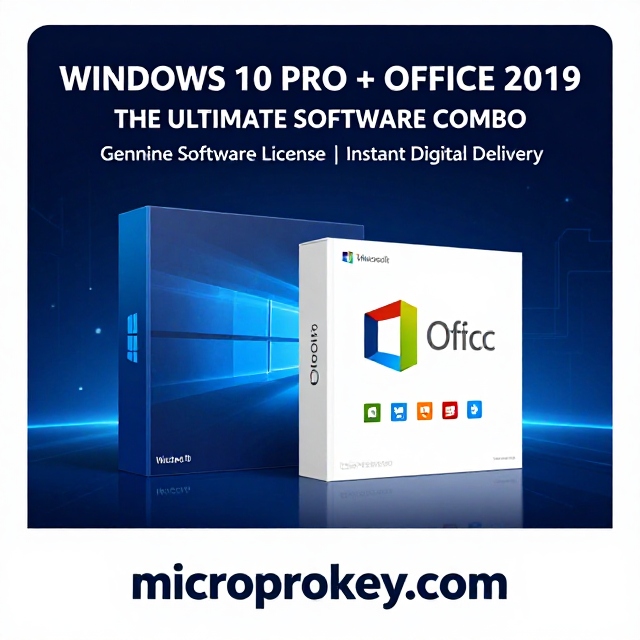
Everything opens fast. Your documents look sharp. Your tools feel familiar and powerful. That is the power of a great software combo. The Windows 10 Pro and Microsoft Office 2019 bundle gives you exactly that. It is a partnership built for people who want to get real work done without fighting their computer. This guide will walk you through every detail of this powerful pair. You will learn about the features, the benefits, and how to get it at a great price. Let’s dive in.
What Is Windows 10 Pro?
Windows 10 Pro is the professional edition of Microsoft’s popular operating system. It is built for people who need more than the basics. Home users get the essentials. Windows 10 Pro adds tools for security, management, and remote work. It is the choice for small businesses, freelancers, and power users. This version includes features like BitLocker encryption and Remote Desktop.
It also supports domain join and Group Policy management. These tools help you protect your data and control your devices. Windows 10 Pro is not just an upgrade. It is a smarter way to work. It gives you a stable and secure base for all your daily tasks. Many professionals trust Windows 10 Pro because it delivers reliability day after day.
Key Features That Make Windows 10 Pro Stand Out
Windows 10 Pro comes packed with features that the Home edition lacks. First, BitLocker lets you encrypt your entire hard drive. This means your data stays safe even if your laptop gets stolen. Second, Remote Desktop allows you to log in to your office PC from home. You can access all your files and programs as if you were sitting right there. Third, Hyper-V lets you create virtual machines.
You can run multiple operating systems on one computer. Fourth, Assigned Access lets you lock a device to a single app. This is perfect for kiosks or public computers. Fifth, Group Policy Management gives you deep control over system settings. These are not just fancy extras. They are real tools that solve real problems. Windows 10 Pro gives you the power to work the way you want.
Microsoft Office 2019: The Classic Productivity Suite
Microsoft Office 2019 is a one-time purchase version of the world’s most famous productivity suite. Unlike Microsoft 365, it does not require a monthly subscription. You buy it once, and you own it. Office 2019 Professional Plus includes all the classic applications.
You get Word for documents, Excel for spreadsheets, and PowerPoint for presentations. You also get Outlook for email, Publisher for layouts, and Access for databases. These are the full desktop versions. They are fast, stable, and packed with features. Office 2019 adds new tools like enhanced inking and better data analysis. Excel gets new formulas and chart types. PowerPoint gets Morph and Zoom for smooth animations. Word gets Focus Mode to help you concentrate. Office 2019 is a proven suite that millions of people use every day.
Why the Combo Works So Well Together
The Windows 10 Pro and Office 2019 combo is a perfect match. Both products are built by Microsoft. They are designed to work together seamlessly. Windows 10 Pro provides a stable and secure foundation. Office 2019 provides the tools you need to create, communicate, and organize. When you run Office 2019 on Windows 10 Pro, you get the best possible performance. The operating system is optimized for Office. Features like Snap Assist let you arrange multiple Office windows on one screen. Virtual Desktops let you separate your work life from your personal life. The combo also saves you money. Buying both products together is cheaper than buying them separately. You get professional-grade software without the professional-grade price tag.
Benefits for Professionals and Small Businesses
If you run a small business, this combo is a smart investment. Windows 10 Pro offers business-class security. BitLocker protects your client data. Windows Defender Antivirus keeps threats away. Remote Desktop lets you support your team from anywhere. Office 2019 gives you the tools to create proposals, manage budgets, and stay in touch with clients. You can build polished documents in Word.
You can analyze sales data in Excel. You can design marketing materials in Publisher. You can manage your calendar and email in Outlook. The combo helps you look professional and work efficiently. It levels the playing field. A small team with the right tools can compete with much larger companies. Windows 10 Pro and Office 2019 give you that competitive edge.
System Requirements: What You Need to Run the Combo
Before you buy, you should check that your computer can handle the software. The requirements are modest for modern PCs. For Windows 10 Pro, you need a processor running at 1 GHz or faster. You need at least 2 GB of RAM for the 64-bit version. You need 20 GB of free hard drive space. For Office 2019, you need a 1.6 GHz dual-core processor. You need 4 GB of RAM for the 64-bit version.
You need 4 GB of free disk space. You also need a display with at least 1280 x 768 resolution. An internet connection is required for activation. Most computers made in the last five years will meet these requirements easily. If your PC runs Windows 10 Home smoothly, it will run Windows 10 Pro and Office 2019 without any trouble.
Security Features You Can Trust
Security is a major reason to choose Windows 10 Pro. The Home edition offers basic protection. Windows 10 Pro goes much further. BitLocker is the headline feature. It encrypts your entire drive. If someone steals your laptop, they cannot read your files. Windows Information Protection helps separate work data from personal data. Device Guard locks down your PC so only trusted apps can run. Windows Defender Antivirus provides real-time protection against viruses and malware. These features are not just for large companies. They are essential for anyone who stores sensitive information on their computer. Freelancers, accountants, and lawyers all benefit from these tools. Windows 10 Pro helps you keep your data safe and sound.
Productivity Tools That Save You Time
Time is your most valuable resource. The Windows 10 Pro and Office 2019 combo helps you save it. In Word, Focus Mode removes distractions so you can write faster. In Excel, new data types and formulas speed up analysis. In PowerPoint, Morph creates smooth animations with a single click.
In Outlook, Focused Inbox separates important emails from noise. Windows 10 Pro adds its own time-savers. Virtual Desktops let you group related tasks. You can have one desktop for email and another for writing. Snap Assist lets you compare two documents side by side. Task View gives you an overview of everything that is open. These small features add up to big time savings. You spend less time managing windows and more time doing real work.
Pricing and Value: Why the Bundle Makes Sense
Buying Windows 10 Pro and Office 2019 separately can be expensive. A standalone Windows 10 Pro license can cost around $99 or more. Office 2019 Professional Plus can cost several hundred dollars on its own. The bundle changes the math. You can find the combo for a fraction of the full retail price.
Prices vary by seller, but deals are common. Some sellers offer the bundle for under $100. Others offer it for even less. The key is to buy from a trusted source. When you buy the combo, you get two full licenses for one low price. You get a lifetime license for both products. There are no monthly fees. You pay once and own the software forever. That is real value.
Why Choose Microprokey for Your Software Needs
When you are ready to buy the Windows 10 Pro and Office 2019 combo, you need a reliable seller. Microprokey is a name you should know. Microprokey offers genuine Microsoft licenses at low prices. They deliver your product key quickly, often within minutes. Their process is simple and secure. You pay, and you get your key by email. The installation instructions are clear and easy to follow. Microprokey has served thousands of happy customers.
Many reviews praise their fast delivery and helpful support. One customer said they got their key “within 5 minutes” and that Office was “fully activated” . Another customer called it “a cheap way to activate windows” compared to buying costly DVDs . Microprokey also offers support if you run into any activation issues. They are a trusted source for affordable software. If you want a smooth buying experience, Microprokey is a strong choice.
How to Install and Activate Your Combo
Installing your new software is easier than you might think. First, make sure you have a stable internet connection. Second, back up your important files. Third, visit the official Microsoft website to download the Windows 10 Pro installation tool. Follow the on-screen steps to create a bootable USB drive or run the upgrade directly. Fourth, enter your product key when prompted.
The activation process is automatic once you are online. For Office 2019, visit the official Office setup page. Sign in with your Microsoft account. Enter your Office product key. The installer will download and install the suite for you. The whole process usually takes less than an hour. If you get stuck, Microprokey provides helpful guides and support to walk you through it.
Common Use Cases: Who Is This Combo For?
The Windows 10 Pro and Office 2019 combo is perfect for many different people. It is ideal for freelancers who need professional tools without a big budget. It is great for small business owners who want secure and reliable software. It is excellent for students who need Word, Excel, and PowerPoint for their studies.
It is a smart choice for remote workers who need Remote Desktop and secure access to office files. It even works well for home users who want more control over their PC. If you write reports, build spreadsheets, create presentations, or manage email, this combo has you covered. The Windows 10 Pro foundation gives you a secure and stable platform. Office 2019 gives you the tools to be productive. Together, they handle almost any task you can throw at them.
End-of-Support: What You Should Know
You may have heard that Windows 10 reached its end of support on October 14, 2025 . This means Microsoft no longer provides free security updates for the operating system. Does that make Windows 10 Pro a bad choice? Not necessarily. Millions of computers still run Windows 10 Pro successfully. You can still use the software. You can still install Office 2019. However, you should be aware of the risks. Without security updates, your PC is more vulnerable to new threats.
You should take extra steps to protect your data. Use a strong antivirus program. Keep your firewall on. Be careful about the websites you visit. For many users, Windows 10 Pro remains a practical and affordable option. You just need to manage the security risks. Office 2019 also reached its end of support on the same date . But the applications will continue to work. They just will not get new features or security patches.
Final Thoughts: Is the Windows 10 Pro + Office 2019 Combo Right for You?
So, is this combo the right choice for you? The answer depends on your needs. If you want a secure, professional operating system and a full suite of productivity tools, the answer is yes. If you want to avoid monthly subscription fees, the answer is yes. If you want a great deal on genuine Microsoft software, the answer is yes. The Windows 10 Pro and Office 2019 combo delivers incredible value.
You get BitLocker, Remote Desktop, and Hyper-V. You get Word, Excel, PowerPoint, and Outlook. You get all of this for one low price. You own the software forever. The combo is not perfect. The end of support for both products is a real consideration. You must take extra care with security. But for budget-conscious users, the benefits far outweigh the risks.
Windows 10 Pro is still a powerful and capable operating system. Office 2019 is still a world-class productivity suite. Together, they form a package that can handle almost any task. If you are ready to upgrade your digital workspace, the Windows 10 Pro and Office 2019 bundle is a smart and affordable choice. Visit Microprokey today to get your keys and start enjoying the benefits.
FAQ’s
Q1: Is the Windows 10 Pro license from this bundle permanent?
A: Yes, the license is a lifetime license. You pay once and own the software. There are no recurring subscription fees. You can use it for as long as you keep the same computer.
Q2: Can I install Office 2019 on more than one computer?
A: The standard Office 2019 Professional Plus license is for one computer. You can install it on one PC. If you need to use it on multiple computers, you will need to buy additional licenses.
Q3: What happens after Windows 10 end of support?
A: After October 14, 2025, Microsoft no longer provides free security updates. You can still use Windows 10 Pro, but you should take extra security precautions. Use a good antivirus and be careful online. Your PC will still work.
Q4: Is Microprokey a reliable place to buy software?
A: Microprokey has many positive reviews from customers who received their keys quickly and activated them successfully. They offer genuine licenses and customer support. As with any online purchase, buy from a trusted source and keep your receipt.
Q5: Do I need an internet connection to activate the software?
A: Yes, you need an internet connection to activate both Windows 10 Pro and Office 2019. The activation process is quick and automatic once you are online.