It was a cloudy Monday morning. Lisa, a project manager, rushed to her desk with a coffee in hand. She had five client meetings, three deadlines, and a dozen emails to answer. Each task came with its own demand. She needed to switch screens fast, write reports often, and attend virtual calls back-to-back. Her older system constantly lagged and slowed her down. She was exhausted by noon every day — not because of the work, but because it wasn’t organized.
Then she upgraded to Windows 11.
At first, she was skeptical. But gradually, the change was clear. With improved window management tools, quicker actions, advanced multitasking, and smarter features, her workday changed. Every action that took five minutes now took one. Meetings started on time, reports were handled with ease, and emails were managed smoothly. Lisa felt like she owned the clock again.
If this story feels close to your daily routine, you’re not alone. Work has become faster, and so should your system. In this blog, we’re going to dive deep into the Top Windows 11 Features that will help you manage tasks quicker, better, and with less stress.
Whether you’re managing a team, working solo, or just organizing daily errands, these features are here to save you time and bring order to your digital life.
Let’s begin with the full list of Top Windows 11 Features for Faster Task Management.
Revamped Start Menu: Quick Access at Your Fingertips
The new Start Menu is simple, clean, and smart. It removes the live tiles and brings pinned apps forward. This makes it easier to spot the tools you use most. Now, you no longer dig through folders or search too long. One click. That’s all.
It also suggests files and apps based on your routine. For example, if you open Excel every 9 a.m., it will show up first. If you use Zoom daily at 1 p.m., it will be on top. That’s intuitive help.
Better yet, it syncs with Microsoft 365. So, your work follows you on all devices.
This is one of the Top Windows 11 Features, especially for professionals. It boosts speed and removes clutter. Quick Start means fast work.
You don’t need to be tech-savvy. The icons are large, the names are clear, and it’s all personalized. One start menu. All tasks. Every file, just seconds away.
With this small shift, Lisa saved 15 minutes each morning. That’s over an hour per week. And that’s the kind of magic you need.
Snap Layouts & Snap Groups: Goodbye Screen Clutter
Have you ever juggled six windows at once? Copying from one, reading from another, while updating a third? It’s tiring.
Snap Layouts makes it easy. You hover over the maximize button, and it gives you layout choices. Half screen. Third screen. Four-part grid. All align neatly.
Snap Groups remembers your layouts. So, if you closed your apps, you can bring them back in the same setup.
This is one of the Top Windows 11 Features for multitasking. It keeps your workspace clean and organized.
Designers, writers, students — anyone who uses more than two apps will love this.
Lisa, our project manager, uses one Snap Group for project planning. Another one for meetings. Each day starts with zero confusion.
It’s like having a digital desk where things don’t move unless you want them to.
Fast clicks. Fewer mistakes. Better focus.
Virtual Desktops: Separate Workspaces for Every Task
Imagine having a separate computer for each task — without buying one. Virtual Desktops do just that.
Create a desktop for writing. One for meetings. Another for social media tasks. Switch between them with one key press.
This feature keeps you in the zone. No ping from Slack when you’re editing. No email distractions while coding.
You’re not just organizing apps. You’re organizing your mind.
This is one of the Top Windows 11 Features for deep work. It helps you avoid digital clutter.
Even students can use it. Study desktop, gaming desktop, creative desktop — each with its own setup.
There’s no limit.
Fast task switching is real now. Your work-life balance will thank you.
Integrated Microsoft Teams Chat: Talk Without Losing Focus
The new Windows 11 taskbar comes with a built-in chat feature. Microsoft Teams is now one tap away.
You don’t need to open the full app. Just click and type.
This helps you reply fast and stay focused.
You can also start video calls quickly. Switch between voice and text with ease.
This is one of the Top Windows 11 Features for team players.
It cuts down time spent opening apps, waiting for them to load, or finding the right chat.
Also, the connection is smooth. No lag. No bugs.
Whether it’s a friend or coworker, reaching out is just quicker now.
Lisa moved from checking WhatsApp, Skype, and email — to just one Click.
Action Center Upgrades: Control Everything Faster
The Action Center in Windows 11 is all about speed. Wi-Fi, Bluetooth, airplane mode, brightness — all in one group.
Click once. Adjust anything. Never dig into settings again.
Volume? A quick slider. Connect to headphones? One touch.
Notifications are grouped and cleaner. You see what matters. You clear what doesn’t.
This is one of the Top Windows 11 Features that adds value every hour.
It also syncs with your calendar, reminders, and alarm. So one center handles it all.
Lisa used to miss calls when focus mode was on. Now, she sees alerts clearly without interruptions.
The interface is clean and easier on the eyes.
This one spot saves dozens of mouse clicks per day.
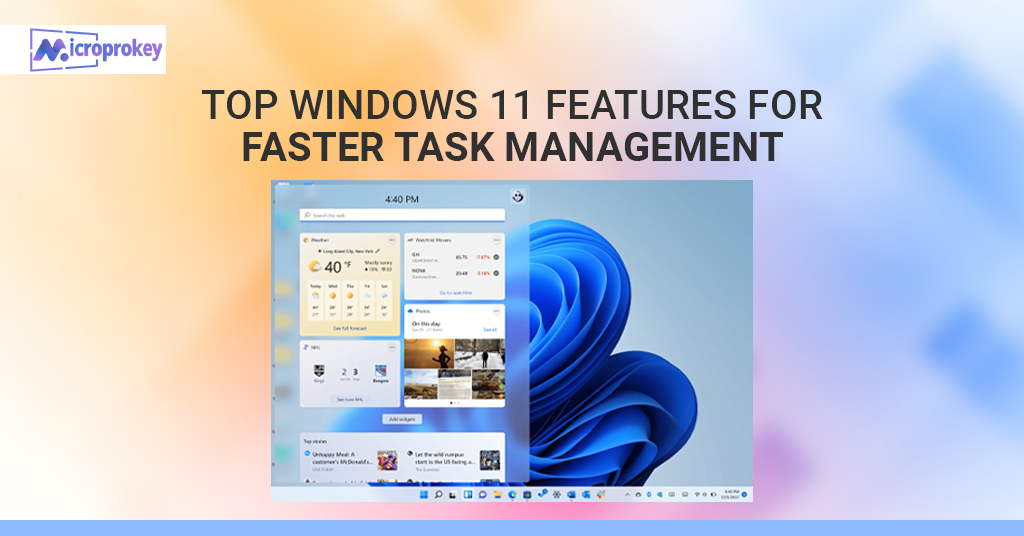
Widgets Panel: Personalized Productivity in One Swipe
Widgets are back — and smarter.
You get weather, calendar, breaking news, reminders, tasks, and more. All in a swipe from the left.
The panel can be customized. Add only what matters.
This is another one of the Top Windows 11 Features that helps with daily information.
You no longer need 10 tabs open. Your widgets show it all.
Add Outlook calendar, Microsoft To Do, Stocks, or Traffic updates.
Lisa uses widgets to check meetings and the weather before commuting.
It only takes seconds, but saves minutes.
Clean view. Focused data. Maximum benefit.
You will use it more often than you think.
Improved File Explorer: Simpler, Smarter File Access
The File Explorer in Windows 11 looks sleek and works better.
You get new icons, easier navigation, and faster file previews.
Quick Access is more powerful. Pinned folders, frequent files, and recent tabs are all easy to find.
Tabs in File Explorer are a game-changer too.
It means you can open multiple locations within one window.
This is one of the most helpful Top Windows 11 Features for saving time.
No back-and-forth. No extra clicks.
Lisa organizes her week’s folders in one File Explorer. Reports, designs, contracts — all lined up.
Click, drag, copy. Job done.
Focus Sessions & Clock App: Build Deep Work Habits
The Clock App now includes Focus Sessions.
It connects with Microsoft To Do and Spotify. Choose work music. Set a timer. Stay with one task.
Breaks are timed too, just like the Pomodoro technique.
This is one of the best Top Windows 11 Features for personal efficiency.
Lisa uses it to time her writing blocks. She avoids distractions and knows when to pause.
You earn points by focusing. The app gives you reports, too.
It’s free. It’s built-in. And it works wonders.
New Taskbar Tools: Efficiency Right Within Reach
The new Taskbar is more powerful.
It hides or shows tools based on what you need.
You can pin apps, adjust sound, and manage calls — all without extra windows.
Search is quicker, giving results from web, files, and apps all at once.
This feature keeps things you use most — one click away.
It’s among the best Top Windows 11 Features for fast action.
Lisa uses custom taskbar groups for meetings, emails, and creatives.
Once set up, it’s like command central.
Nothing is buried. Everything’s in reach.
Redesigned Settings Menu: Control with Fewer Clicks
Settings used to be confusing. Not anymore.
The Windows 11 Settings menu is redesigned. It’s clean, grouped, and clear.
Each control tells you what it does. Fewer clicks. Simple words.
This is one of the core Top Windows 11 Features everyone notices.
Themes, updates, privacy — all laid out with fast access.
Lisa sets up Focus Assist and Night Light with ease.
You won’t get lost in menus anymore.
Less time learning. More time doing.
Voice Typing: Speak Your Thoughts, Save Your Time
You no longer need to type everything.
Press Win + H and start talking. Your words appear as text.
Voice Typing is smart. It understands punctuation.
This is one of the most convenient Top Windows 11 Features.
If your hands are tired or you’re in a flow, just speak.
Many writers, students, and professionals love this.
It’s accurate and fast.
Lisa uses it to draft emails while sipping her coffee.
Fast. Hands-free. Reliable.
Touch & Gesture Controls: Speed for Multi-Device Users
Windows 11 is great for tablets and touchscreen laptops.
New gestures let you swipe, hold, pinch — all to move faster.
It’s like using a phone, but smarter.
This is one of the Top Windows 11 Features that mobile users enjoy.
Lisa uses it on her Surface device at meetings.
It helps her work even without a keyboard.
More control. Less effort.
Timeline Enhancements: Never Lose Your Work Trail
Remember something you worked on, but not when?
The improved Timeline helps find it.
You get past activities, opened documents, and visited pages — in order.
This is a savior feature on busy weeks.
Lisa often finds last month’s files in seconds.
Among the top Top Windows 11 Features, this is perfect for tracking your workflow.
It connects across devices too.
What you started on phone, you can finish on laptop.
Grow Your Brand Smartly With Microprokey
Your productivity tools are only part of the equation. You also need reliable software support.
That’s where Microprokey comes in.
They offer genuine keys for Windows 11, Office 365, and more — at unbeatable prices.
Fast support. Instant delivery.
Millions trust Microprokey to unlock full Windows features.
Buy your official Windows 11 key, upgrade your system, and start using these Top Windows 11 Features today.
Your work deserves the best software. Don’t settle for less.
Click below and power up your work life:
Visit Microprokey for Genuine Windows 11 Keys
Conclusion: Manage Smarter, Not Harder
The world moves fast. Your tools should help you stay ahead, not hold you back.
The Top Windows 11 Features are more than upgrades. They are work partners.
From smoother multitasking to sleek design, from deep focus tools to easy controls — you’re always just a few clicks away from order and peace.
Windows 11 isn’t just about how it looks. It’s about how it works. Better layout. Better flow. Better results.
Whether you’re a freelancer, creative, student, or office manager — this OS fits your pace.
Start using these features one by one. Set your layout. Add widgets. Try voice typing. Build focus blocks. Buy a valid license from Microprokey, and unlock all features.
Lisa did it. Her stress dropped. Her results soared.
Now, it’s your turn.
Master your day. Master your system. Choose smart.
Use the Top Windows 11 Features. And let your productivity speak.
FAQs:
1. What are the Top Windows 11 Features that improve task management?
Snap Layouts, Virtual Desktops, Focus Sessions, Quick Start Menu, and Microsoft Teams Chat are just a few. They all speed up daily work.
2. Is virtual desktop only for power users?
No. Anyone can use virtual desktops. You can make one for games, one for work, and one for study with simple steps.
3. How do Snap Groups help in multitasking?
Snap Groups remember your window setup. When you come back, your apps open in the same layout. This saves time and reduces confusion.
4. Is voice typing accurate in Windows 11?
Yes. It uses smart AI for punctuation and speech recognition. It works well for emails, documents, and notes.
5. Where can I buy a genuine Windows 11 key?
You can get official and affordable Windows 11 keys at Microprokey. They offer secure and fast delivery.