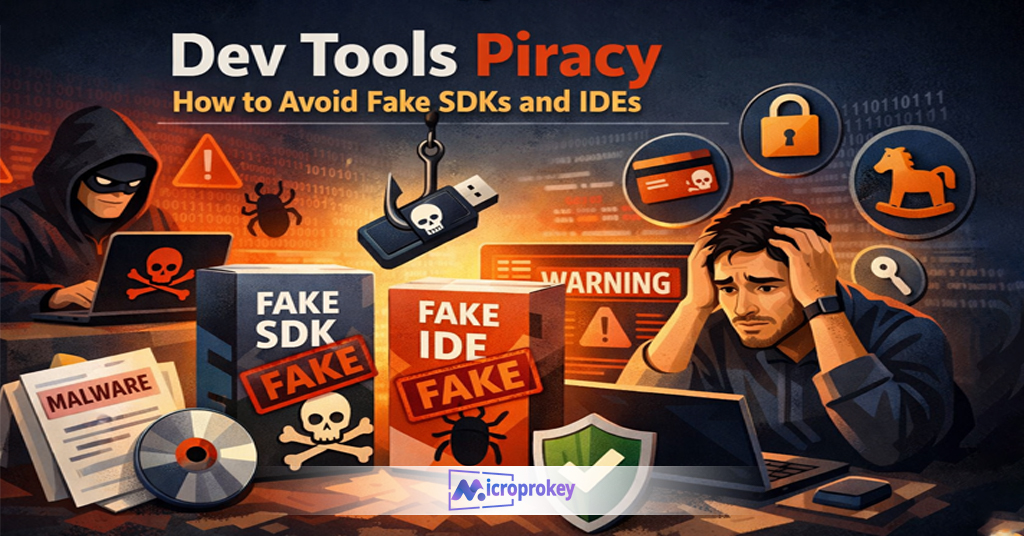
Imagine you just bought a new computer in 2025. You are excited to start using it. But soon, you realize something. Most software costs a lot. You do not want to spend money on expensive apps. Also, you want to stay safe online. So, you start looking for free software. But there is a problem. Many free apps are illegal or unsafe. They may harm your device or steal your data.
One day, a friend tells you about the top 10 free and legal software tools. These tools are free, safe, and work well. You decide to try them. At first, you feel unsure. But soon, these tools become your daily helpers. You write documents, edit photos, watch videos, and stay safe online without paying anything. The best part? You never had to worry about breaking any law or risking your data. This story could be yours too. This guide will help you discover the best free and legal software tools you can use in 2025.
Why Choose Free and Legal Software Tools?
In 2025, the internet is full of software options. However, not all are safe. Many sites offer cracked or illegal versions. These can harm your device or lead to data theft. Using legal software protects you from these dangers. Plus, free legal tools save money. Many people think free means low quality. But that is not true anymore. Today’s free tools have powerful features. They are updated regularly by developers. You get new functions and security patches. Also, legal software means no risk of fines or legal trouble. This makes free and legal software tools a smart choice for everyone.
How to Identify Free and Legal Software Tools?
Finding the right software is easy once you know what to look for. First, check the source. Official websites or trusted platforms like GitHub or SourceForge are good places. Second, read reviews from real users. They share honest experiences. Third, check the license type. Open-source or freeware licenses are legal and free to use. Avoid cracked or pirated versions. They may have hidden malware. Lastly, choose tools with active support. Updates show the software is well maintained. These steps ensure you only use free and legal software tools that are safe and reliable.
LibreOffice: A Powerful Office Suite
LibreOffice is a top choice for many users. It replaces expensive office suites like Microsoft Office. LibreOffice includes Writer, Calc, Impress, and more. These tools help you write documents, create spreadsheets, and make presentations. It supports many file formats, including Microsoft’s formats. So, sharing files is easy. The software is free and open-source. It has regular updates and a large user community. LibreOffice works on Windows, Mac, and Linux. Whether you are a student, professional, or casual user, LibreOffice offers all the features you need for office work.
GIMP: The Free Photoshop Alternative
If you want to edit photos, GIMP is perfect. It offers many tools like layers, filters, and brushes. Professionals and hobbyists use it for image editing. Unlike costly software, GIMP is completely free. It is open-source and works on all major platforms. GIMP supports many file types including PSD files. You can create digital art, enhance photos, or prepare images for web use. The user interface is friendly, and many tutorials are available online. Using GIMP saves you money and keeps your work legal. It is one of the best free and legal software tools for creatives.
VLC Media Player: Play Any Media File
VLC Media Player is a must-have app for video and audio playback. It supports almost every file format without extra plugins. VLC is free, open-source, and available on many platforms including Windows, Mac, Android, and iOS. It plays DVDs, streams online, and even converts media files. Many people prefer VLC because it is simple, fast, and does not show ads. You don’t have to worry about codecs or compatibility issues. VLC is a reliable tool that lets you enjoy media without spending a dime or risking legal trouble.
Audacity: Edit Audio Like a Pro
Audacity is the go-to free tool for audio editing. Whether you record podcasts, music, or voiceovers, Audacity has you covered. It offers features like noise reduction, multi-track editing, and audio effects. The software is open-source and updated regularly. It supports many audio formats. Audacity works on Windows, Mac, and Linux. Its easy-to-use interface makes audio editing accessible for beginners. Using Audacity means you get professional-level tools for free and legally. It is one of the best free and legal software tools for anyone interested in sound.
7-Zip: Compress and Extract Files Efficiently
7-Zip is a lightweight file compression tool. It supports formats like ZIP, RAR, and 7z. The software helps you save disk space and send files faster. 7-Zip is free, open-source, and easy to use. It offers strong AES-256 encryption to keep your files safe. It also integrates with Windows Explorer, making file compression simple. This tool works on Windows but can be used on Linux via command line. If you deal with large files often, 7-Zip is a must-have. It’s a practical, legal solution for file management in 2025.
Bitwarden: Manage Passwords Securely
Keeping passwords safe is crucial today. Bitwarden is a free, open-source password manager. It helps you generate, store, and auto-fill passwords. Bitwarden encrypts your data, so no one can access it but you. It supports multi-factor authentication and works on all devices. The app syncs your passwords securely across your phone, PC, and browser. Bitwarden has a simple interface and strong security features. It’s a trusted tool to protect your online accounts. Using Bitwarden is a smart way to stay safe and organized with passwords in 2025.
Brave Browser: Fast, Private Web Browsing
Brave Browser is a modern web browser focused on privacy. It blocks ads and trackers by default. This makes web pages load faster. Brave also offers built-in HTTPS Everywhere to secure your connections. It protects you from harmful sites and unwanted scripts. Brave rewards users with tokens for opting into privacy-respecting ads. It supports Chrome extensions and is available on Windows, Mac, Android, and iOS. For anyone wanting a fast and safe browsing experience, Brave is a great choice. It is free and legal software you should try in 2025.
Shotcut: Create and Edit Videos
Video editing is easier with Shotcut. This free, open-source software has many features. You can cut, merge, add filters, and export videos in many formats. Shotcut supports 4K video and has a user-friendly interface. It works on Windows, Mac, and Linux. For vloggers, teachers, and casual editors, Shotcut provides a powerful editing platform without cost. You don’t need to buy expensive video software anymore. Shotcut is one of the top 10 free and legal software tools that helps you produce quality videos in 2025.
Notepad++: A Simple and Powerful Text Editor
Notepad++ is a lightweight text and code editor. It supports syntax highlighting for many programming languages. The tool is ideal for developers and writers alike. Notepad++ is free, open-source, and fast. It runs on Windows and offers many plugins to extend its functionality. If you write code or just need a better text editor than the default Notepad, this tool is perfect. It’s one of the best free and legal software tools to boost productivity in 2025.
Krita: Digital Art for Everyone
Artists love Krita for digital drawing and painting. It’s free and open-source software. Krita offers brushes, layers, and tools for creating detailed artwork. It supports graphics tablets and has a clean interface. The software runs on Windows, Mac, and Linux. Whether you are a beginner or a professional, Krita provides everything you need for digital art creation. It is a top pick among the top 10 free and legal software tools for artists in 2025.
MicroProKey: The Ideal Platform for Free Software
If you want a safe place to download and manage these tools, MicroProKey is perfect. It offers a user-friendly interface and trusted downloads. MicroProKey ensures you get free and legal software without the risk of malware. It supports software updates and provides guides for installation. Whether you are a student, freelancer, or professional, MicroProKey makes software management simple and secure. Using MicroProKey means you stay legal and safe while accessing the best free software in 2025.
How to Get the Most from These Tools
Start by choosing the right tools for your needs. Download from official sites or MicroProKey. Keep software updated to stay secure. Learn basic features through tutorials online. Combine tools for better productivity. For example, use LibreOffice for documents and GIMP for image editing. Protect your data with Bitwarden and browse safely with Brave. Remember, free and legal software tools save money and keep you safe. Use them wisely to enhance your work and daily life in 2025.
Conclusion: Your 2025 Software Toolkit Awaits
The digital world in 2025 offers many choices. But not all software is safe or legal. The top 10 free and legal software tools we discussed are proven, trusted, and powerful. They help you work, create, and stay secure without spending money. Using these tools means no risk of malware or legal problems. Plus, they have active communities and updates. Whether you need office apps, media players, or creative software, these free tools have you covered.
Remember to download from trusted sources like MicroProKey for extra safety. This way, you get authentic software that protects your device. Learning these tools will save you money and give you peace of mind. In 2025, smart users choose legal software that respects their data and budget.
Start using these tools today and see the difference. Free, legal, and reliable software is not just a dream; it is your reality now. Embrace it fully and enjoy a safer, smarter digital life!
Thanks for reading.