Secure Payments

Secure Payments

Safe Checkout

Safe Checkout

Phone

Genuine Licenses

Phone

+447577321476

support

[email protected]

💖 Valentine's Sale – Hurry Up! Limited Time Offers! 💖

  • home iconHOME
  • microsoftWINDOWS
    • Windows 11
    • Windows 10
    • Windows 8.1
    • Windows 7
    • Windows XP
  • OFFICE APPS
    • MICROSOFT OFFICE
      • Microsoft Office 2024
      • Microsoft Office 2021
      • Microsoft Office 2019
      • Microsoft Office 2016
      • Microsoft Office 2013
      • Microsoft Office 2010
    • OFFICE FOR MAC
      • Office 2021 For Mac
      • Office 2019 For Mac
      • Office 2016 For Mac
    • OFFICE 365
    • MICROSOFT PROJECT
      • Project 2021
      • Project 2019
      • Project 2016
      • project 2013
      • Project 2010
    • MICROSOFT VISIO
      • Visio 2021
      • Visio 2019
      • Visio 2016
      • Visio 2013
      • Visio 2010
    • VISUAL STUDIO
      • Visual Studio 2022
      • Visual Studio 2021
      • Visual Studio 2017
      • Visual Studio 2015
  • MICROSOFT SERVERMICROSOFT SERVER
    • Windows Server
      • Windows Server 2022
      • Windows Server 2019
      • Windows Server 2016
      • Windows Server 2012
      • Windows Server 2011
    • SQL Server
      • Microsoft SQL Server 2022
      • Microsoft SQL Server 2019
      • Microsoft SQL Server 2017
      • Microsoft SQL Server 2016
    • Microsoft Exchange Server
    • Windows Server CALs
  • ADOBE
Login / Register
Sign inCreate an Account

Lost your password?

0 items $0.00 USD
0 items $0.00 USD
Menu
[gtranslate]
[woo_multi_currency_layout5]
Home Shop PROJECT Project 2021 Microsoft Project 2021 Professional 5 user
[social_buttons type="follow"]
Microsoft Project 2021 Standard 5 user
Rating on Trustpilot
Home Shop PROJECT Project 2021 Microsoft Project 2021 Professional 5 user
  • CD Key
  • Download Link

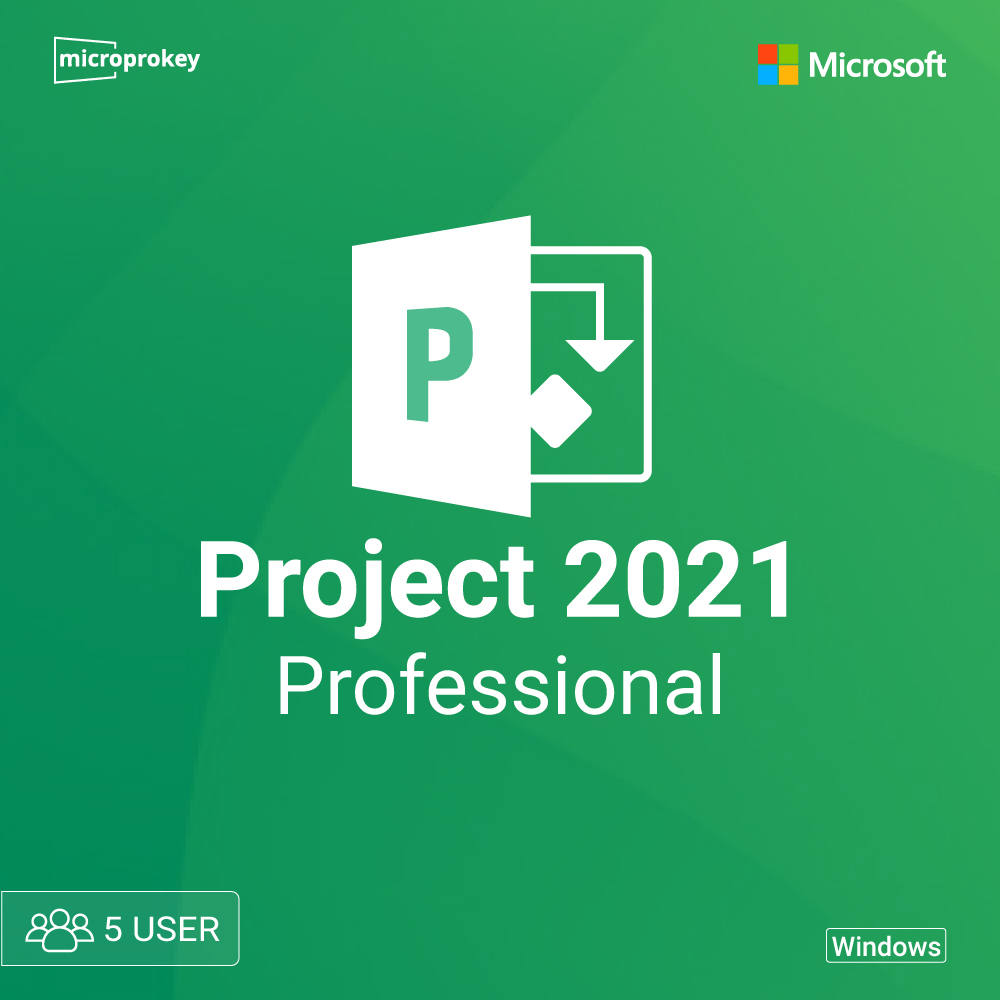
Microsoft Project 2021 Professional 5 user

PlatformPlatform
Microsoft
VERSIONVERSION
Professional
REGIONREGION
Global
DevicesDevices
PC, Laptop
DurationDuration
Lifetime
License TypeLicense Type
Online key
Activation LimitActivation Limit
5PC

$199.99USD

Pay securely with
  • Advanced Project Planning & Resource Management Features

  • Compatible with Windows 10 & Windows 11

  • Not Compatible with macOS – Windows only

  • For bulk purchases, contact: [email protected]

Key Features

Task Management
Gantt Charts
Project Reports
Scheduling Tools
Description Overview System Requirements FAQs

Product Description

Boost your project management efficiency with Microsoft Project 2021 Professional for 5 users with a lifetime license. Perfect for businesses and teams, this software provides advanced project planning, task automation, budgeting, collaboration, and real-time reporting tools.

Boost your project management efficiency with Microsoft Project 2021 Professional for 5 users with a lifetime license. Perfect for businesses and teams, this software provides advanced project planning, task automation, budgeting, collaboration, and real-time reporting tools.

Microsoft Project 2021 Standard: A Comprehensive Guide for 5 Users

It might be difficult to manage several projects and keep your team in sync in the fast-paced digital environment of today. One option that effectively and conveniently meets these criteria is Microsoft Project 2021 Standard. This robust tool facilitates project planning, teamwork, and smooth job management and is appropriate for both small and big teams. Everything you need to know about Microsoft Project 2021 Standard is covered in this blog, with a special emphasis on how well it works for teams of five people.

What is Microsoft Project 2021 Standard?

Microsoft Project 2021 Standard is an industry-leading project management software tailored for business professionals looking to streamline their workflow. It offers tools for planning, scheduling, tracking, and managing projects. From organizing daily tasks to planning long-term projects, it’s a versatile software that can adapt to any project’s scale. Although it is available in different versions, Project 2021 Standard is specifically designed for single desktop use with robust features and functions.

Key Features of Microsoft Project 2021 Standard for 5 Users

When using Microsoft Project 2021 Standard for five users, each user can benefit from the software’s unique blend of powerful functionalities. Let’s break down some of the standout features:

  1. Efficient Task Management Microsoft Project 2021 Standard provides an easy-to-use interface where users can assign, track, and prioritize tasks. Its task board and timeline view help visualize project progression, ensuring every team member is aligned with goals and deadlines.
  2. Enhanced Timeline Views Multiple timeline views allow teams to manage tasks with flexibility. Users can view tasks in a Gantt chart, calendar, or Kanban board style, providing various perspectives on project timelines. This makes it ideal for five users who may have different viewing preferences.
  3. Built-in Templates The software comes with numerous templates designed for different types of projects. From IT and construction to event planning and marketing, Microsoft Project Standard has a template for nearly every industry. For a team of five, these templates can save time and offer a structured framework for getting projects off the ground quickly.
  4. Real-Time Collaboration Although primarily a single-user application, Project 2021 Standard can be used in a collaborative environment by leveraging cloud storage solutions like OneDrive or SharePoint. This allows team members to share project files and access updates in real time.
  5. Detailed Reporting Tools Microsoft Project 2021 Standard includes powerful reporting tools that offer insights into project status, resource allocation, and progress tracking. With this feature, team members can regularly assess their project’s health and adjust resources or deadlines as needed.
  6. Seamless Integration with Microsoft Office Suite Microsoft Project 2021 Standard integrates with other Microsoft Office applications such as Excel, Word, and PowerPoint. This allows for easy data transfer, whether it’s importing Excel files into Project or exporting project reports into PowerPoint.
  7. Task Automation Microsoft Project 2021 Standard offers task automation features that help users save time on repetitive processes. With automated task scheduling, team members can focus more on strategic decision-making rather than manually updating timelines.

Benefits of Microsoft Project 2021 Standard for Small Teams

For a team of five, Microsoft Project 2021 Standard offers significant advantages that streamline project management. Here’s why it’s ideal for small to medium-sized teams:

  • Improved Collaboration and Communication: With Microsoft Project, users can plan projects in a centralized location. While the Standard edition does not provide extensive online collaboration features like Project Online, it allows teams to share files and information, ensuring everyone stays updated.
  • Increased Productivity: When tasks and milestones are clearly defined, teams can work more efficiently. Project 2021 Standard’s task management tools help avoid confusion, reduce project delays, and increase productivity.
  • Accurate Resource Management: Microsoft Project 2021 Standard allows users to allocate resources effectively. With a team of five, managing resources for various tasks is simplified, minimizing the risk of overloading any single team member.

Setting Up Microsoft Project 2021 Standard for a Team of 5 Users

To get started, each of the five users will need to have Microsoft Project 2021 Standard installed on their individual computers. Here’s a brief guide to setting up:

  1. Purchase and Installation: Microsoft Project 2021 Standard is available as a one-time purchase. You can acquire individual licenses for each user, as it’s licensed per device. Once purchased, download and install the software on each computer.
  2. Initial Setup and Configuration: Upon launching the software, team members should configure their workspace, set up their tasks, and assign relevant team members to specific tasks.
  3. Project and Task Planning: Each user can create new projects or open shared projects stored on a shared network drive. Tasks can be assigned and prioritized based on individual or team responsibilities.
  4. Data Sharing and Collaboration: Microsoft Project 2021 Standard doesn’t offer real-time collaborative editing but allows users to save and share project files through shared drives or cloud solutions.

Pricing and Licensing Information

Microsoft Project 2021 Standard is available as a one-time purchase, which makes it a budget-friendly option for small teams that do not require a subscription. Each user will need a separate license since this version doesn’t support multi-user or web-based access. However, given the rich functionality it provides, the one-time fee can be a valuable investment for a team of five users looking to manage their projects effectively.

Comparing Microsoft Project 2021 Standard with Other Versions

While Microsoft Project 2021 Standard is perfect for small teams or individual users, Microsoft offers other versions to suit different needs:

  • Microsoft Project Professional 2021: This version provides enhanced collaboration tools and more advanced features, making it suitable for larger teams.
  • Project Online: A cloud-based version of Microsoft Project that supports multi-user collaboration and offers advanced tools for resource management, ideal for teams that need to work together in real-time from different locations.

Final Thoughts: Is Microsoft Project 2021 Standard Right for Your Team?

For teams of five, Microsoft Project 2021 Standard offers a powerful yet accessible solution for project management. It enables users to manage tasks, timelines, and resources with ease, without overwhelming them with unnecessary features. This version of Microsoft Project strikes a balance between simplicity and functionality, making it ideal for small teams looking to improve their workflow without the need for an extensive learning curve.

In conclusion, Project 2021 Standard stands out as a cost-effective project management tool for teams seeking streamlined operations. Whether you’re in construction, marketing, IT, or any other industry, this software provides the essentials to plan, execute, and deliver projects successfully. For teams looking to invest in a reliable project management tool, Microsoft Project 2021 Standard could be the game-changer that ensures efficiency and productivity.

Overview

Features Details
Supported Languages
Developer Microsoft Corporation
Publisher Microsoft
Category Project Management Software
Manufacturer Microsoft
License Type Digital
Number of PCs: 5 PCs
Activation region Global

System Requirements

Components Requirements Recommends
Processor 1.6 GHz, Dual-Core or higher 2 GHz or higher
Operating System Windows 10, 11 Windows 11
RAM 4GB (32-bit) / 8GB (64-bit) 16GB
Hard Disk 4GB free space 10GB free space
Graphics DirectX 10 compatible DirectX 12 with WDDM 2.0
Other Requirements Microsoft account & Internet for activation High-speed internet for updates

System Requirements

Minimum Requirements

Components Requirements
Processor 1.6 GHz, Dual-Core or higher
Operating System Windows 10, 11
RAM 4GB (32-bit) / 8GB (64-bit)
Hard Disk 4GB free space
Graphics DirectX 10 compatible
Other Requirements Microsoft account & Internet for activation

Recommended Requirements

Components Recommends
Processor 2 GHz or higher
Operating System Windows 11
RAM 16GB
Hard Disk 10GB free space
Graphics DirectX 12 with WDDM 2.0
Other Requirements High-speed internet for updates

Frequently Asked Questions

Is this a genuine Microsoft Project Professional 2021 license?

Yes, this is a 100% authentic and legal Microsoft Project Professional 2021 license key.

How will I receive my license key?

The license key will be delivered instantly via email after purchase.

Can I use this on multiple PCs?

Yes, this license supports up to 5 different PCs.

Does this work on macOS?

No, this is a Windows-only product.

Will I receive a physical CD/DVD?

No, this is a digital product with a license key and download link.

Can I reinstall Microsoft Project Professional 2021 using the same key?

Yes, you can reinstall it on the same PC if needed.

Will I get official Microsoft updates?

Yes, you will receive official Microsoft updates for Project 2021.

What if my key doesn’t work?

We offer a replacement or refund if your key is invalid.

Any questions about the products? Write to us 24/7 technical support!

Our technical specialists will be happy to answer all your questions!

Live Chat
PlatformPlatform
Microsoft
VERSIONVERSION
Professional
REGIONREGION
Global
DevicesDevices
PC, Laptop
DurationDuration
Lifetime
License TypeLicense Type
Online key
Activation LimitActivation Limit
5PC

$199.99USD

Pay securely with

Related products

Sale
MICROSOFT SERVER
Windows Server
Windows Server 2022
Windows Server 2022 Essentials genuine product keys
Add to cart

Windows Server 2022 Essentials genuine product keys

$279.99 Original price was: $279.99.$189.99Current price is: $189.99.USD
MICROSOFT SERVER
Windows Server
Windows Server 2012
Windows Server 2012 Essentials
Add to cart

Windows Server 2012 Essentials genuine product

$55.99USD
MICROSOFT SERVER
Windows Server
Windows Server 2012
Windows Server 2012 Essentials R2
Add to cart

Windows Server 2012 Essentials R2 genuine keys

$49.99USD
MICROSOFT SERVER
Windows Server
Windows Server 2011
Microsoft Windows Home Server 2011 Keys affordable prices
Add to cart

Microsoft Windows Home Server 2011 Keys affordable prices

$45.00USD
MICROSOFT SERVER
Windows Server
Windows Server 2008
Windows Server 2008 R2 Enterprise secure license
Add to cart

Windows Server 2008 R2 Enterprise secure license

$49.00USD
MICROSOFT SERVER
Windows Server
Windows Server 2008
Windows Server 2008 R2
Add to cart

Windows Server 2008 R2 Data Center security features

$49.00USD
Microsoft Exchange Server
MICROSOFT SERVER
Microsoft Exchange Server 2013 Standard
Add to cart

Microsoft Exchange Server 2013 Standard

$45.99USD
PROJECT
Project 2021
Microsoft Project Standard 2021
Add to cart

Microsoft Project Standard 2021 – 5 user

$149.99USD
PROJECT
Project 2016
Microsoft project professional 2016 - 5 user
Add to cart

Microsoft project professional 2016 – 5 user

$449.99USD
PROJECT
Project 2021
Microsoft-Project-Professional-2021-For-Windows-PC.webp
Add to cart

Microsoft Project Professional 2021 For Windows PC

$29.99USD
Sale
PROJECT
Project 2019
Microsoft Project Standard 2019
Add to cart

Microsoft Project Standard 2019 Digital License

$159.99 Original price was: $159.99.$49.99Current price is: $49.99.USD
Sale
PROJECT
Project 2016
Microsoft Project Professional 2016
Add to cart

Microsoft Project Professional 2016 Digital License

$149.99 Original price was: $149.99.$45.99Current price is: $45.99.USD

    Join Today for Exclusive Deals

    [sibwp_form id=2]
    Payment Gateway:
    [woo_multi_currency_layout5]

    Website currency:

    We are the best way to buy, install and use software! with us you will be sure that the license is legitimate.

    POPULAR CATEGORIES

    • Microsoft Office
    • Microsoft Windows
    • Autodesk
    • Adobe
    • Anti Virus
    • CorelDraw

    COMPANY

    • About Us
    • Contact Us
    • Affiliate Dashboard
    • Blogs
    • Download
    • FAQ
    • How to Install

    Legal Info

    • Refund & Returns
    • Privacy Policy
    • Terms & Conditions
    • Shipping Policy

    Copyright © 2025 All trademarks belong to the property of their respective owners.

    Facebook X-twitter Linkedin Quora Medium
    Close
    • Menu
    • Categories
    • home iconHOME
    • microsoftWINDOWS
      • Windows 11
      • Windows 10
      • Windows 8.1
      • Windows 7
      • Windows XP
    • OFFICE APPS
      • MICROSOFT OFFICE
        • Microsoft Office 2024
        • Microsoft Office 2021
        • Microsoft Office 2019
        • Microsoft Office 2016
        • Microsoft Office 2013
        • Microsoft Office 2010
      • OFFICE FOR MAC
        • Office 2021 For Mac
        • Office 2019 For Mac
        • Office 2016 For Mac
      • OFFICE 365
      • MICROSOFT PROJECT
        • Project 2021
        • Project 2019
        • Project 2016
        • project 2013
        • Project 2010
      • MICROSOFT VISIO
        • Visio 2021
        • Visio 2019
        • Visio 2016
        • Visio 2013
        • Visio 2010
      • VISUAL STUDIO
        • Visual Studio 2022
        • Visual Studio 2021
        • Visual Studio 2017
        • Visual Studio 2015
    • MICROSOFT SERVERMICROSOFT SERVER
      • Windows Server
        • Windows Server 2022
        • Windows Server 2019
        • Windows Server 2016
        • Windows Server 2012
        • Windows Server 2011
      • SQL Server
        • Microsoft SQL Server 2022
        • Microsoft SQL Server 2019
        • Microsoft SQL Server 2017
        • Microsoft SQL Server 2016
      • Microsoft Exchange Server
      • Windows Server CALs
    • ADOBE
    • Login / Register
    Shopping cart
    Close
    Shop
    0 items Cart
    My account