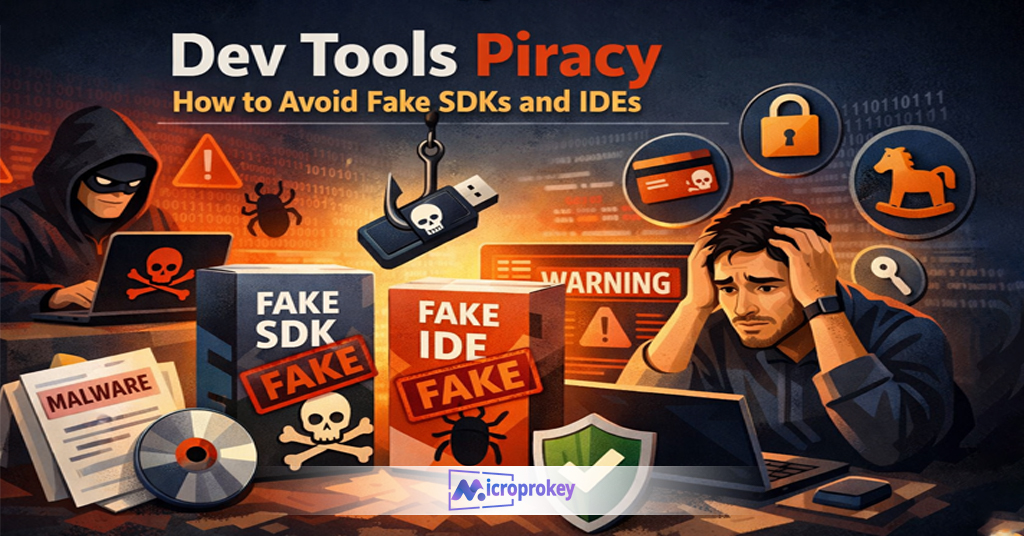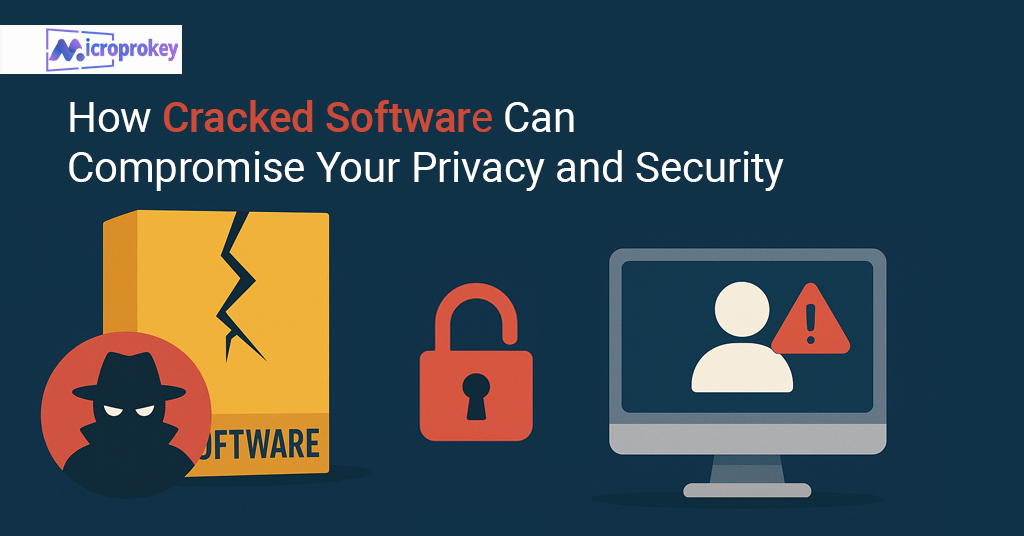
It started with a small mistake. John, a college student, downloaded a pirated version of Windows to save money. It looked harmless. It worked fine in the beginning. But within a few days, his PC slowed down. Unknown programs popped up. Files went missing. At first, he thought it was a bug. But soon, he realised it was malware. All his personal photos, college files, and even credit card details were stolen.
John didn’t know one simple step could have stopped all this. That step was using a genuine operating system. Most people still think pirated software saves money. It doesn’t. John ended up paying triple: new hardware, recovery fees, and personal losses.
If you’re reading this, you don’t want to be like John. You want to know how to protect your PC the right way. This guide will show you how. You’ll learn why a genuine OS is important, how to avoid malware, the tools you need, and where to get legit licenses, like from Microprokey.
Learning how to protect your PC is more important than ever. Every day, thousands of new threats hit users worldwide. Malware, trojans, ransomware, and spyware target home and business devices. Their goal is simple: steal, damage, or control.
Many users ignore PC safety, assuming it won’t happen to them. That’s risky. Hackers don’t care about your job or age. They look for weak systems. Weakness comes from outdated software, no antivirus, or using pirated operating systems.
If your PC holds personal data, it’s a target. That includes emails, photos, passwords, and banking info. Once malware gets in, recovery is hard. Backups can help, but they won’t stop the attack itself.
One strong way to start? Use a genuine OS. This reduces risk and increases system security. When you use cracked software, you invite hidden code that attackers slip in. Real, verified software blocks these threats early.
That’s why understanding how to protect your PC means knowing your OS source. Safety comes from trusted updates, license verifications, and support. In this guide, we’ll cover all those points.
Please don’t wait until it’s too late. Prevention is smarter than repair. Make protecting your PC part of your daily digital routine. It’s easier than you think and costs less in the long run.
Understanding How Malware Works
To learn how to protect your PC, you must first know how malware operates. Malware is short for malicious software. It includes viruses, worms, ransomware, spyware, and trojans.
These harmful programs do many bad things. Some track your typing, others control your computer remotely. Many steal passwords, documents, and banking data. A few encrypt your files and ask for money to unlock them.
Some malware spreads through email links and fake websites. Others attach to cracked software. If you use pirated tools or download from shady sites, your risk grows.
Most malware hides in places where you won’t easily see it. It often runs silently in the background. That’s why people don’t notice until something goes very wrong. By then, files are already lost or stolen.
A genuine operating system helps detect and block malware early. It has built-in protection. It also gets security updates often. Updates fix holes and improve system defence.
If your OS isn’t real, you won’t get security patches. Without them, you are open to attack.
So, to understand how to protect your PC, realise that malware works best when you let your guard down. Don’t help attackers by ignoring updates or running fake software. Stay alert.
In the next section, you’ll see why a genuine OS plays the biggest role in protection.
Importance of Using a Genuine Operating System
Knowing how to protect your PC starts with using a genuine operating system. It’s the foundation of your PC’s safety. If the base isn’t secure, nothing else helps.
A real OS, like genuine Windows, comes straight from the developer. It includes updates, support, and clean code. No hidden bugs. No mysteries. No risks.
However, pirated OS software usually has changes made by hackers. That’s risky. These modified versions may already carry malware. Even worse, they stop receiving updates. No updates mean no fixes for known issues.
You may lose access to Windows Defender, BitLocker, and security updates. Some features won’t work if Windows isn’t activated. Not having them weakens your system.
Microsoft makes sure genuine systems are stable and secure. They run smoother and last longer. Over time, this saves money. You don’t face costly repairs or loss of data.
Using a real copy also lets you link your OS to your Microsoft account. That offers extra recovery options. Your license won’t get lost if you change your hardware.
To sum up, when choosing between fake and real, always go for real. Protecting your computer begins with licensed software. Everything added after – like antivirus – depends on it.
If you really want to learn how to protect your PC, this is the first and vital step. Never skip it.
Differences Between Genuine and Pirated OS
What sets them apart? Understanding this helps you learn how to protect your PC better.
A genuine OS is straight from Microsoft. It’s clean, secure, and verified. It updates smoothly and connects with other security tools. It gets patches regularly. Plus, it supports all new features.
A pirated OS, however, is not safe. It looks like the real one, but deep down it’s risky. These copies often come with embedded malware. They may also disable key security settings.
Cracked versions trick your system into thinking you’re licensed. But hackers usually add harmful code in that process. Over time, this puts your data at risk.
Another big issue is performance. Pirated systems often freeze or crash more often. They’re not made for safe daily work. Businesses should NEVER run them.
Even simple tasks like printing or updates can fail. If something breaks, you won’t get official help. And if your system is hijacked, there may be no way to fix it.
Also, you lose access to advanced features like BitLocker, Defender updates, and OneDrive security.
The difference is clear. One is legal, clean, and safe. The other is dangerous.
So, if you care about how to protect your PC, then getting a genuine OS is not a luxury. It’s a need.
How to Protect Your PC with Real-Time Protection
One tested method in how to protect your PC is real-time protection. This scans for threats every moment your computer runs. It looks for unusual behaviour, bad code, and harmful files.
Windows has its real-time tool called Windows Defender. It comes with a genuine OS and works automatically. If your OS is not verified, Defender might shut off.
The real-time feature watches your download actions, website visits, and app installs. If anything is harmful, it blocks or removes it instantly. No wait time. That keeps your PC safer.
Real-time tools can also notify you about risky links. They also stop ransomware in real time. This way, you don’t lose files before you can act.
To keep this feature running, don’t turn off your antivirus. And never download software that asks you to disable protection.
These tools need a working, real system. Pirated OS versions usually break these features. That puts your data at easy risk.
Using paid antivirus solutions also helps improve protection. Some popular ones are BitDefender, Kaspersky, and Norton.
So, if you are serious about how to protect your PC, keep real-time protection ON all the time. Never skip it.
Enable Automatic Updates for Security
Want to know another core part of how to protect your PC? Use automatic updates. This is one of the easiest ways to stop malware early.
Microsoft launches patches often. These fix issues in your system. Some fixes are very serious and patch large security holes. If you’re using a genuine OS, updates won’t fail.
Set your PC to auto-update. That way, you never miss a fix. You won’t have to remember when to install them. Your PC does it on its own in the background.
Without updates, your system becomes weak. Hackers look for systems that miss patches. They scan the web for them. Once found, they inject malware or ransomware.
You can check update settings through the Windows Settings panel. Make sure everything is set to install updates automatically. That includes drivers, antivirus definitions, and security patches.
A pirated OS can’t do this. It often fails during updates. This makes your system weaker over time.
Don’t delay updates, thinking you’ll save time. Keeping your system current takes 5 minutes but prevents long repairs later.
To sum up, auto-updates are smart. They are free security blocks that run daily. Make this step a must if you are serious about how to protect your PC.
Use Built-in Windows Security Tools
Every genuine Windows installation has free, built-in security tools. These are designed to help you master how to protect your PC without buying anything extra.
The first one is Windows Defender. It gives real-time protection, virus scanning, and more. It runs quietly in the background and warns you about threats. But it only works if your Windows is genuine.
Another tool is the Firewall. It blocks unwanted network connections. Some malware tries to open backdoors, but the firewall closes them quickly.
You also have SmartScreen. It warns you before opening apps or files from the internet. If it looks unsafe, SmartScreen tells you to stop.
BitLocker is another great feature found in Pro editions. It encrypts files and keeps your data safe even if someone steals your PC.
All these tools work only on real, updated Windows. If you skip activation or use a fake OS, these tools may stop.
Remember, you don’t need to install extra programs to access these features. They’re already there, working for your protection.
So, if you’re working on how to protect your PC, use what you’ve already got. Just make sure your OS is real, and let the built-in tools do their job.
Use a Trusted Antivirus with a Genuine License
Even though Windows Defender is strong, using another trusted antivirus is smart. This doubles your defence. It’s another key step in how to protect your PC.
Some viruses are smart. They may escape one tool but get caught by another. That’s why combining tools helps.
Brands like Norton, BitDefender, Kaspersky, and McAfee are top choices. They offer real-time scans, email protection, ransomware defence, and browsing shields.
But remember this—only get antivirus tools from their official sites. Stay away from cracked versions. Cracks are often filled with malware. Ironically, these fake antiviruses do more harm than good.
Also, updates are important. A licensed antivirus receives fresh threat data every day. It learns about new viruses and how to beat them. Cracked versions won’t update.
Most security tools offer starter plans that cost very little monthly. That tiny fee can save your $1000 PC from malware or keyloggers.
If you skip this step, you’re simply leaving doors open for attack.
To wrap up, if you truly care about how to protect your PC, get a genuine antivirus too. It multiplies your computer safety without slowing it down.
Be Cautious About Software Downloads
Another key rule in how to protect your PC is managing your downloads. Most malware comes from installing unsafe software. Free tools may look great, but often contain hidden threats.
Some popular sources of malware are cracked games, pirated apps, fake utilities, and unknown browser extensions. These files are bundled with trojans, spyware, or ransomware.
If you see a download link that looks suspicious, don’t click it. Always use official websites or trusted platforms like Microsoft Store or verified vendor sites.
Also, avoid downloading anything from pop-ups. Many fake pop-ups tell you something is wrong with your PC. They trick you into downloading malware instead of a solution.
Before installing any software, check online reviews. Use tools like VirusTotal to scan install files before running them. That adds another layer of safety.
Don’t let curiosity trick you into installing shady apps. If you’re unsure, it’s best to skip it.
Keep in mind—genuine OS systems also block suspicious installations. If your system is pirated, it can’t recognise fake software. That’s a danger you can avoid with licensed Windows.
Knowing how to protect your PC means staying alert during every click. Be picky. If something feels off, it probably is. Play smart and download wisely.
How to Protect Your PC Through Safer Browsing Habits
When asking how to protect your PC, start with where you browse. The internet is full of traps. One wrong click can bring a virus.
Use modern browsers like Microsoft Edge, Chrome, or Firefox. These browsers have built-in safety features. They warn you when you’re about to visit risky sites.
Keep browser add-ons to a minimum. Use only trusted ones. Fake extensions often carry nasty malware. Remove any you don’t use or recognise.
Also, avoid adult, gambling, or pirated content sites. These websites are hot zones for malware. They tempt users with free content but install spyware or trojans in the background.
Install ad blockers too. Many viruses hide inside ads. Clicking them by mistake is easy. Ad blockers keep them away.
Never click links in emails unless you’re 100% sure. Phishing scams often lead to serious malware infections. Always look at the URL before opening links.
And most importantly, do not save your passwords inside the browser. Use a password manager instead. It’s safer and prevents the leaking of sensitive data.
Genuine operating systems work better with secure browsers. They offer improved integration and faster security updates.
If safe browsing becomes your habit, you’ll have won half the battle in how to protect your PC. Online safety is all about daily choices.
Benefits of Genuine Windows Activation Keys
Many users search for hacks to activate Windows. But that’s not safe. To truly learn how to protect your PC, you must get a genuine activation key.
A genuine Windows key links your OS to Microsoft servers. It passes security checks. It lets your system receive full updates, patches, and support.
You also get access to key features like BitLocker encryption, Automatic Driver Updates, and Windows Hello security login.
Another key benefit—your device becomes eligible for full protection from Windows Defender. Without activation, these tools may stop.
Buying a genuine key also protects your hardware. Your components won’t be damaged by unstable software or update failures. You get optimal performance.
Plus, you have full control through your Microsoft Account. You can sync settings across devices, recover licenses, and manage subscriptions easily.
And let’s be honest—a genuine key isn’t expensive anymore. Platforms like Microprokey offer legit license keys for less than you might think. These are budget-friendly and 100% reliable.
Never trust keygens or activators. These tools compromise your PC deeply. Most include backdoors that hackers use later on.
So if you’re serious about how to protect your PC, then getting a genuine key is the smartest move.
Don’t settle for a cracked life. Go legit. Stay safe.
FAQs
1. Why should I use a genuine OS to protect my PC?
A genuine OS ensures stability, security updates, and better system protection. Pirated systems lack core safety features and invite malware.
2. Can Windows Defender protect my PC completely?
Windows Defender protects well if you use a genuine OS. It offers real-time protection, but pairing it with a trusted antivirus is better.
3. Where can I get an affordable, genuine Windows key?
You can buy reliable, low-cost genuine Windows keys from trusted sites like Microprokey. They offer fast support and 100% legit licenses.
4. How do I know if my PC is already infected?
Signs include slow speed, random pop-ups, missing files, and unknown apps. Run a full antivirus scan to check and remove threats.
5. What are the biggest mistakes users make when trying to protect their PCs?
The biggest mistakes are using pirated OS, skipping updates, trusting unknown downloads, and ignoring browser safety warnings.
Why Microprokey is the Best Place to Buy a Genuine OS
If you’re searching for where to get a license, let us help you. Learning how to protect your PC means also knowing where to buy genuine software.
There are many online sellers, but not all are legit. Some sell reused or fake license keys. Some don’t offer refund support.
That’s why so many users now trust Microprokey. It’s a top-rated seller of digital Microsoft licenses. Customers love it for one main reason—authenticity.
Microprokey provides lifetime licenses for Windows 10, Windows 11, and more. Every key is genuine and verified directly with Microsoft’s servers.
Here’s why it stands out:
- Fast digital delivery (within minutes)
- Clear instructions for activation
- Trusted by thousands of real customers
- Transparent refund policy if any issue arises
- Affordable rates, starting at just a few dollars
They offer keys for more than just Windows. You’ll also find Office 2021, Antivirus licenses, and more.
When you buy from Microprokey, you avoid all the risks of piracy. No malware. No failed updates. No crashing systems.
Choosing Microprokey means you’re investing in the future of your PC.
When it comes to how to protect your PC, Microprokey makes the process fast, easy, and risk-free. 100% recommended.
Tips to Keep Your PC Clean and Speedy
Protecting your system isn’t the only goal. You also want it to stay fast. So when learning how to protect your PC, it’s wise to also focus on maintenance.
Start by uninstalling programs you don’t use. Old apps often run in the background, eating up memory and power. Less usage means better speed.
Next, keep your startup programs in check. Some apps run every time your PC turns on. Use the Task Manager to stop unnecessary ones.
Run disk cleanup weekly. It clears temporary files that slow your system. Also, defragment your hard drive (for HDDs) or trim your SSD once a monthly.
Always keep your drivers up to date. Use reliable tools like Driver Booster or let Windows do it through updates. Updated drivers improve speed and security.
Avoid desktop clutter. Store your files in folders. It makes the computer load faster at startup. Also, clean your browser cache often.
Use lightweight antivirus software. Avoid ones that slow down your system. Windows Defender is fast and efficient when paired with a genuine OS.
And don’t forget to back up your data. Use cloud storage or external drives. It saves time in case of loss.
These steps take just minutes each week. Yet they boost performance big time.
When you’re learning how to protect your PC, maintenance is half the victory.
Conclusion: Final Thoughts on How to Protect Your PC
We’ve covered all the key areas to help you master how to protect your PC. From real-time protection and browsing settings to genuine software and smart habits—every step matters.
If you want your PC to serve you long and safe, start with a genuine operating system. That choice alone blocks half the threats. It opens the door to automatic updates, Microsoft support, and built-in security.
Don’t risk your data by using pirated copies. Don’t fall for cracked keys that cause harm. Instead, get legal, clean software from trusted sources like Microprokey.
In this article, we’ve said it many times—and it’s still true: prevention is better than repair. Paying once for a genuine OS is cheaper than recovering from a severe malware attack.
Protecting your PC doesn’t need to be tough. Small daily habits – safe downloads, updates, real-time scans, and good browsing – build strong walls around your data.
Stay careful. Be smart with software. Trust only verified tools. And most of all, take every step seriously when learning how to protect your PC.
Your digital world is important. With the right tools and mindset, you can keep it safe for years to come.
Thanks for reading.